Send individual files to buyers
With Custom files you give a person their own files after the purchase, for example the summary of your consultation. Only this person can see and download them.
On this page
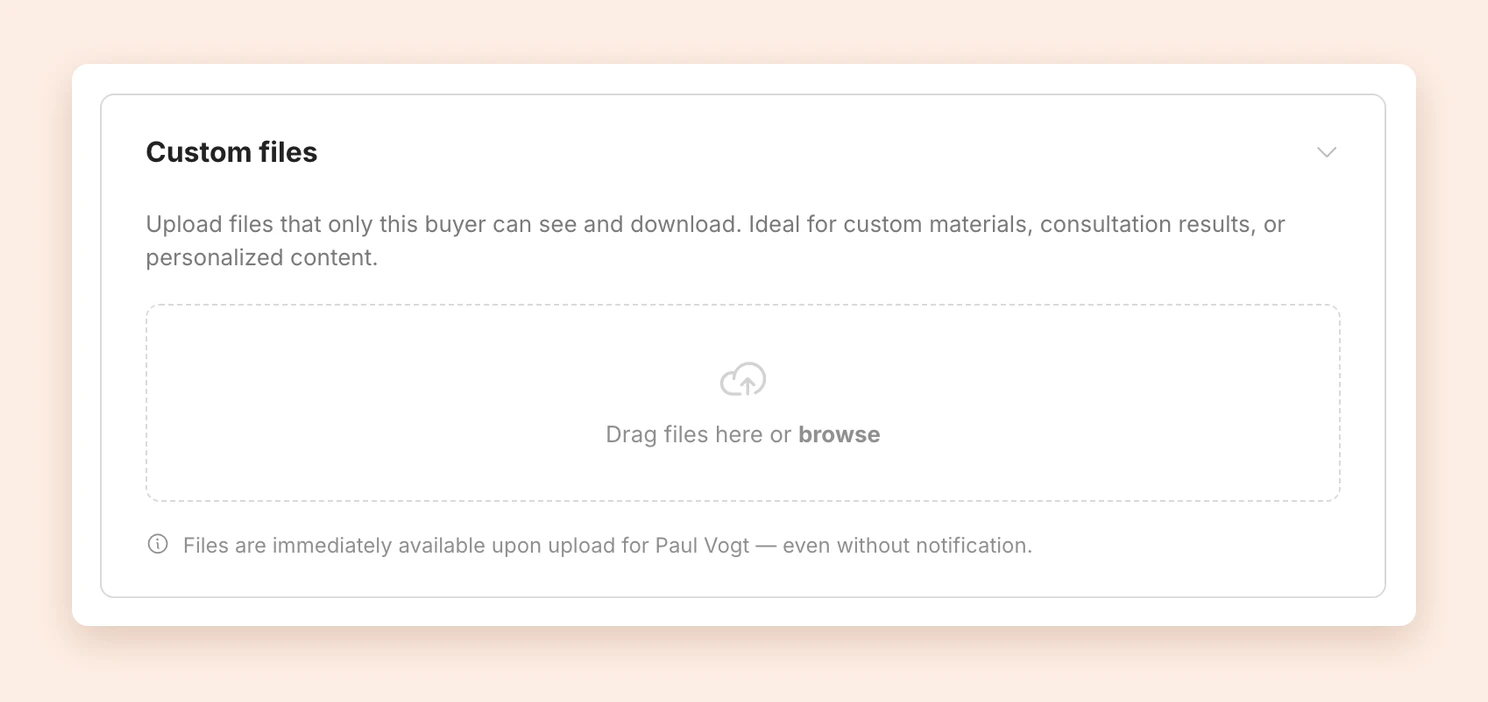
Upload files
- Open the order under Sales.
- Click Custom files to expand the box.
- Drag one or more files into the field, or click browse.
The files are available to your customer immediately after the upload, even without a notification.
Notify the buyer
After the upload, the Notify buyer box appears. This is how you tell the person about the new files by email:
- If you like, write a personal message in the text field, for example: “Here is the summary of our consultation. Feel free to reach out!”
- Click Send notification.
The email has the subject New files available with the name of your product. It contains the file names, your message and a link to the download page.
You can send one notification per order every 24 hours. So it is best to upload all files first and then notify once.
Manage files
The list shows each file with its name, size and upload date. Next to it you see whether the person has been told:
- Buyer notified: The email has been sent. If you wrote a message, you see it here.
- Buyer not yet notified: The file is available, but the person does not know about it yet.
Use the download icon to download a file yourself, and the trash icon to delete it.
What your customers see
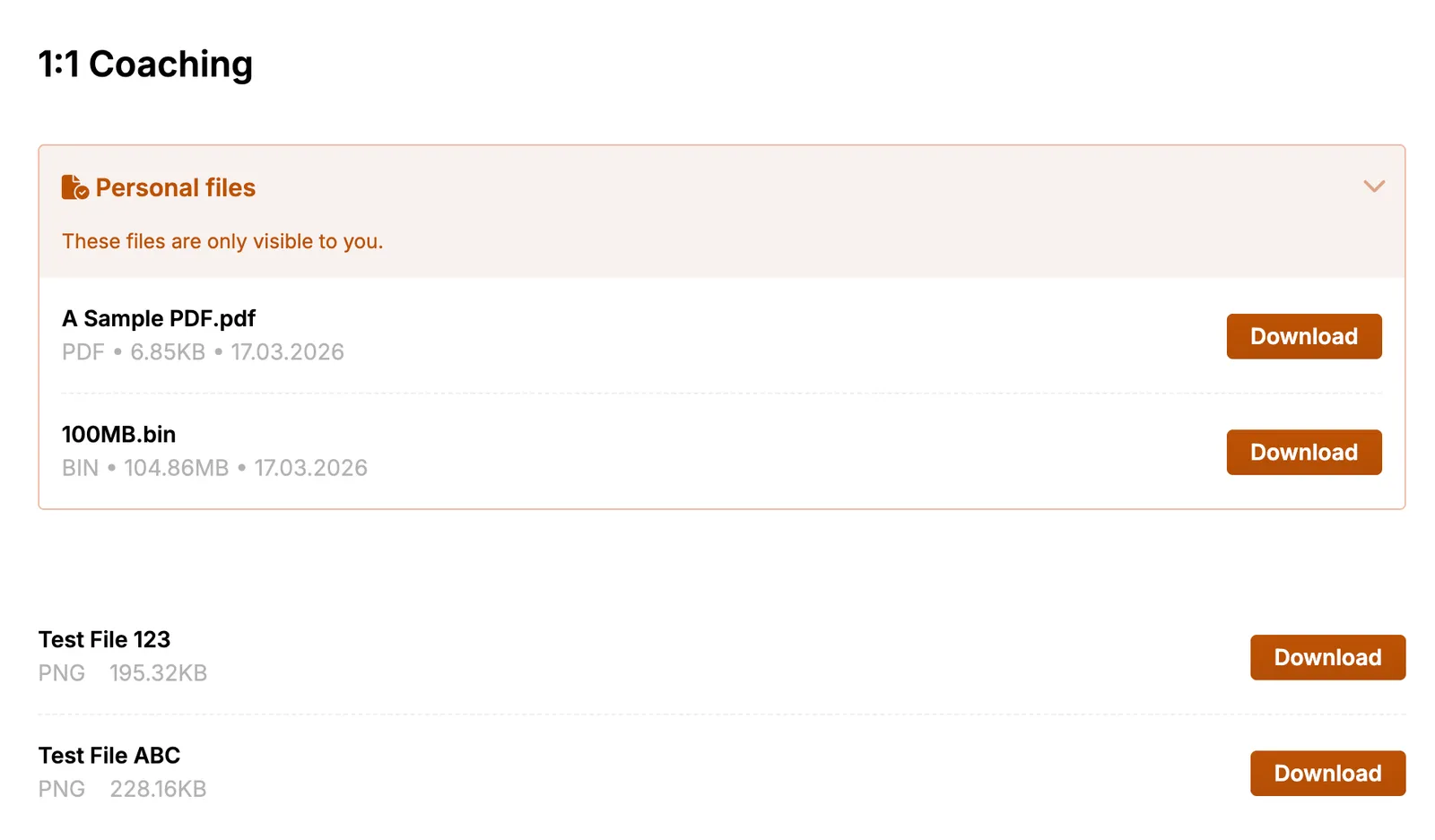
On the download page of the order, a separate Personal files section appears with the note These files are only visible to you. It is kept apart from the files of your product. Each file can be downloaded on its own.
FAQ
Which files can I upload?
Any file type, for example PDFs, images, videos or ZIP archives. A file can be up to 5 GB.
Can other buyers see the files?
No. Only the person who placed this order sees the files. Others who bought the same product do not.
What happens after a refund?
After a full refund, the person no longer has access to the files, just like the rest of your product.
Last updated October 14, 2026