Transparency mode: show the affiliate on the checkout page
With transparency mode, the checkout page shows which affiliate someone is buying through. This creates clarity for your customers and your affiliates.
What is the transparency mode?
With transparency mode, the checkout page shows the name of the affiliate whose link someone came through. This lets:
- customers see who they are buying through.
- affiliates check that their link works.
Especially when several affiliates promote the same products, this creates clarity for everyone.
Turn on transparency mode
- Open Affiliate program › Settings.
- Set Show the name of the affiliate partner on the checkout page (visible to the customer) to Yes.
- Click Save.

Where the name appears
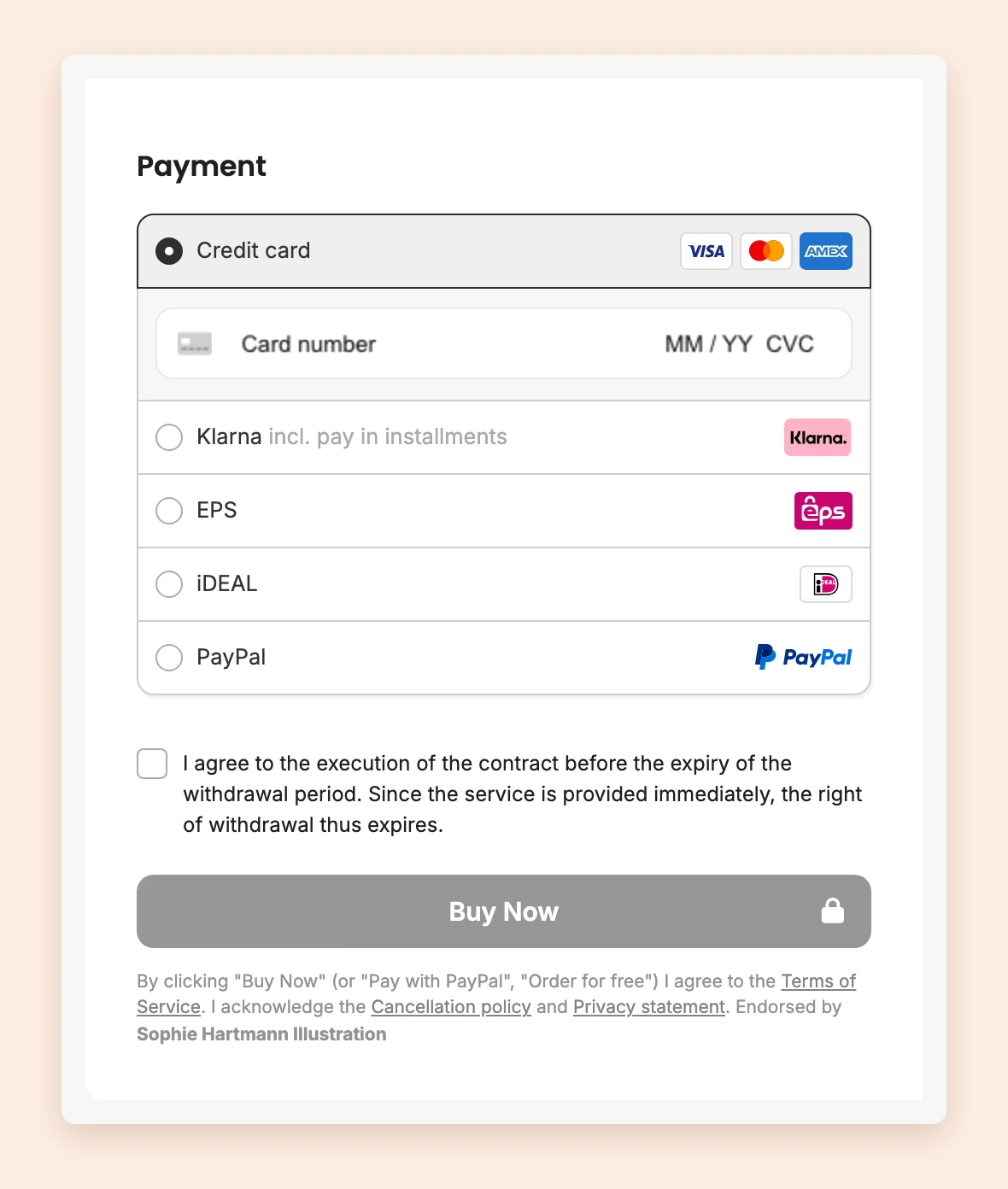
When someone opens the checkout page after clicking an affiliate link, the grey box below the order button, with the notes on terms, withdrawal and privacy, ends with Endorsed by and the affiliate’s name.
The name shown is the one from the affiliate’s invoice details.
Last updated October 15, 2026