How Can I Cancel a Subscription?
You want to cancel your subscription or membership at the next possible date?
You can do this easily using one of the following three methods:
-
Via the product
Click the access link to your product in the purchase confirmation email you received. On the product page, a link labeled Cancel subscription will be displayed. Click this link and then confirm that you really want to cancel.
-
Via the shop
Scroll to the bottom of the shop or product page of the seller from whom you purchased your subscription. There you’ll find the Cancel subscription link, which will take you to the following cancellation form.
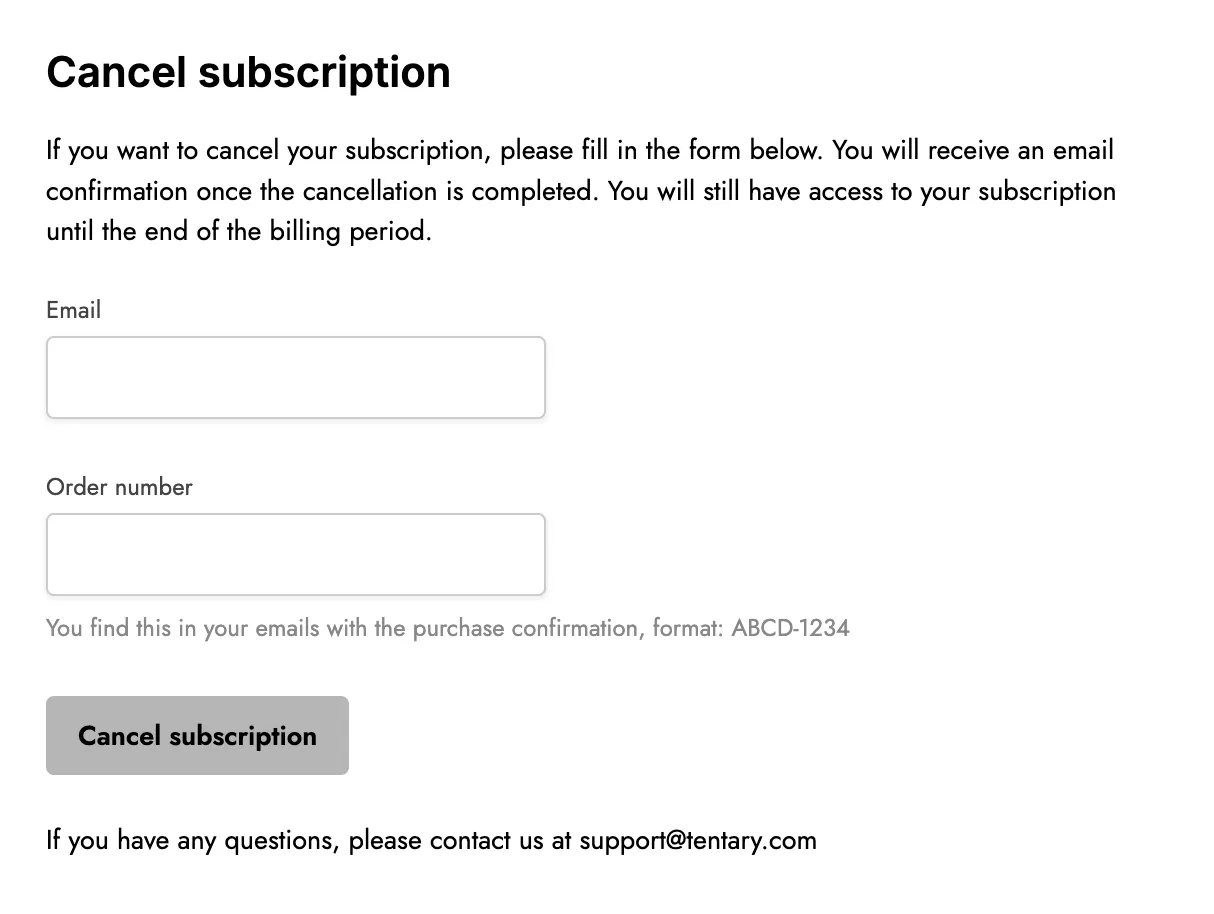
In the cancellation form, enter your email address and the order number of your subscription. You’ll find the order number in the purchase confirmation email you received after completing the subscription.
Click the Cancel subscription button to finalize the cancellation.
Note: Sellers must activate this option. If you do not see a cancellation link there, please contact the shop owner directly.
-
Seller cancels for you
Alternatively, you can always contact the seller of the product, for example via email, and ask them to cancel your subscription at the next possible date.
After a successful cancellation, you’ll receive an email confirming receipt of your cancellation and that it will take effect at the end of the current billing period.
Last updated July 10, 2025