Why wasn’t an invoice sent to my customers?
Your customer says no invoice arrived? Here are the possible causes and what you can do in each case.
On this page
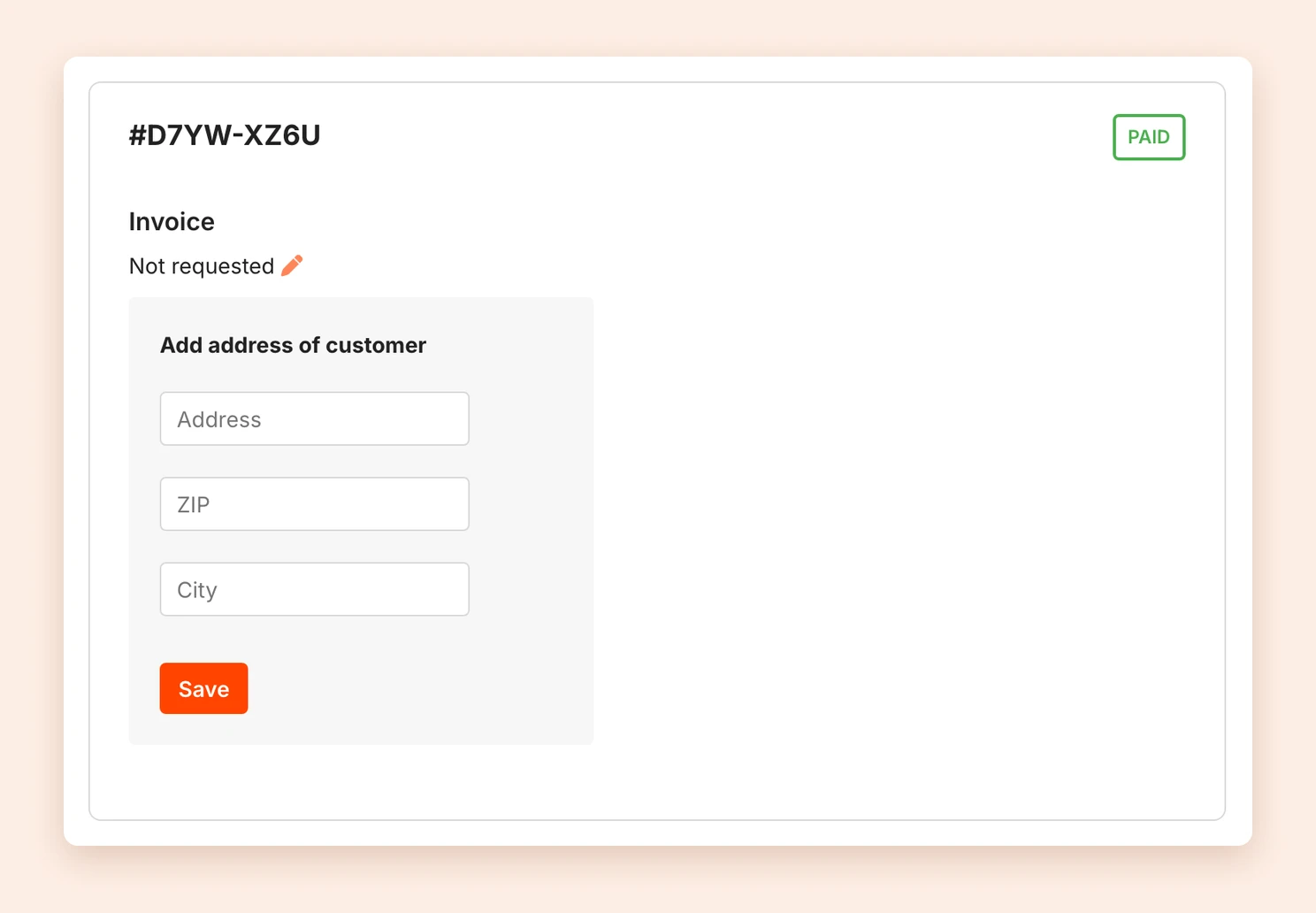
First open the order under Sales and look at the Invoice section. Depending on what it shows, one of the following causes applies.
1. Your customer did not request an invoice
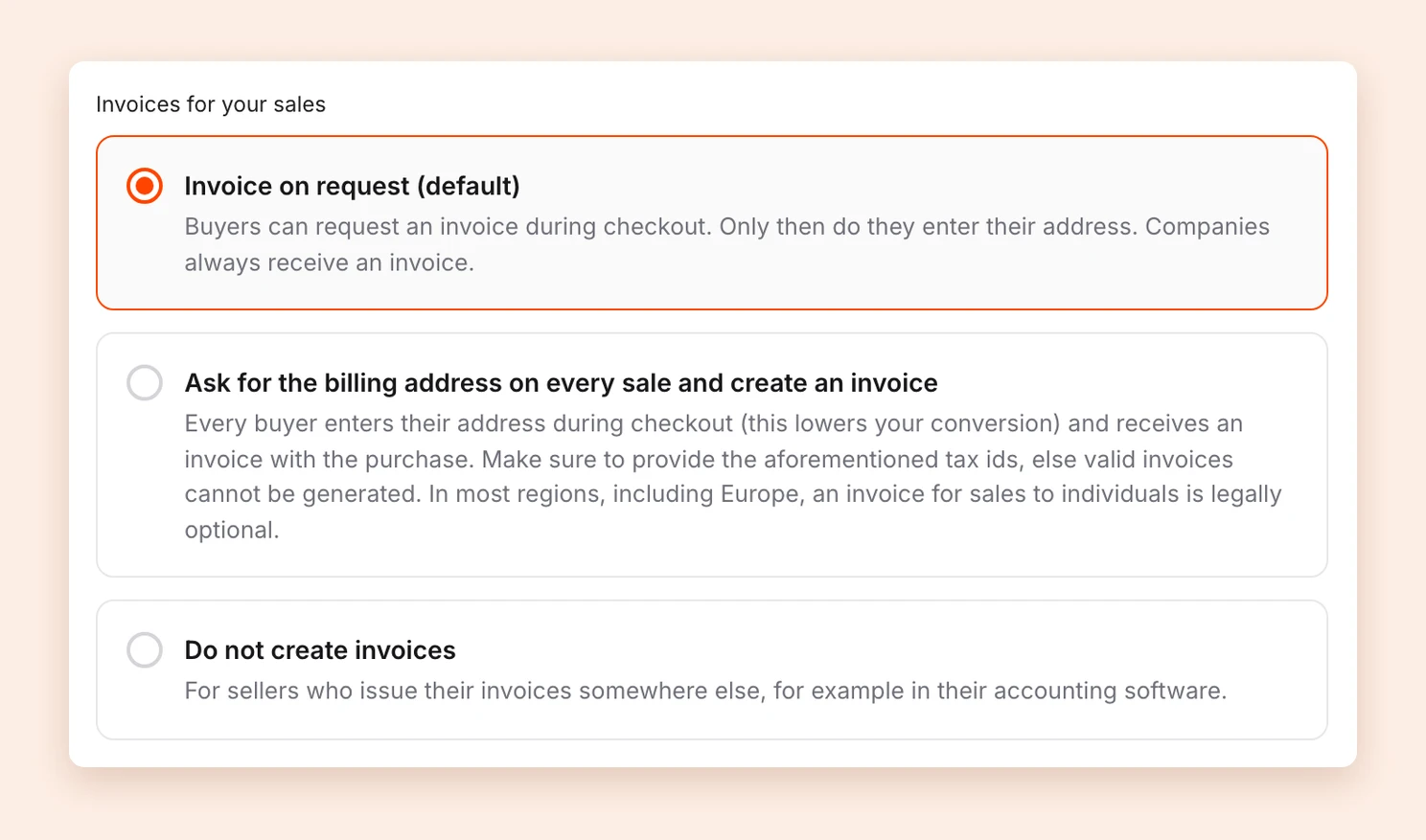
With the default setting Invoice on request (default), individuals only receive an invoice if they request one during checkout. This keeps the checkout short, because in most countries, including the EU, an invoice for sales to individuals is optional. The order then shows Not requested under Invoice.
Solution: Create the invoice afterwards. See send an invoice later.
If you want every customer to receive an invoice automatically, go to Billing address and choose Ask for the billing address on every sale and create an invoice under Invoices for your sales. Every buyer then enters their address during checkout and receives an invoice with the purchase.
2. Your account has no tax number
Without a tax number or VAT ID, Tentary cannot issue valid invoices in your name, because they are a required detail. Your customers then cannot request an invoice during checkout either, and companies from other EU countries cannot buy from you. This also applies if you chose Ask for the billing address on every sale and create an invoice.
Solution: Under Billing address, enter your Tax number or your VAT identification number in the Taxes section and save. From then on, Tentary creates invoices. For past orders, you can send the invoice later. To learn which number you need for what, see tax number and VAT ID.
3. Invoice creation is switched off
If you chose Do not create invoices under Invoices for your sales, Tentary creates no invoices for your sales. You issue them yourself, for example in your accounting software.
Solution: Issue the invoice yourself, or create it for this order afterwards with Tentary. If you want Tentary to create invoices again, choose one of the other two options. See invoicing for sales.
4. The invoice was created but did not arrive
If the order shows Buyer requested an invoice and you can open the PDF there, Tentary created the invoice. It comes attached to the order confirmation. Ask your customer to check their spam folder as well.
Solution: Download the invoice as a PDF in the order and send it yourself, or resend the order confirmation.
Note: Tentary does not create invoices for free orders.
Last updated October 13, 2026