Where Can I Find My Shop URL, What Does It Look Like, and What Is It Used For?
To allow your customers to visit your shop, you need your personal shop URL. In this article, you’ll learn how to find it, what it looks like, and what it’s used for.
On this page
Displaying Your Shop URL
You can find your shop URL either via the icon next to the Shop menu item (see the image below) or in your domain settings. If you have enabled the setting Display only individual sales pages (not the full shop), you will find the direct links to your products under the Products menu item.
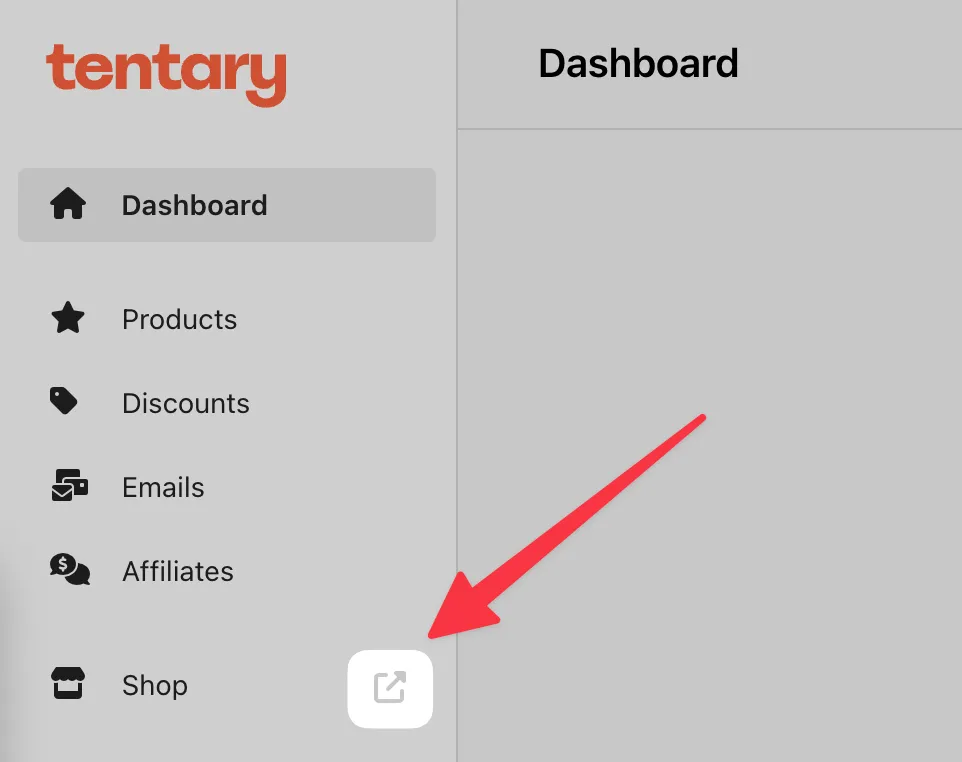
Structure of the Shop URL
Tentary Subdomain (e.g., shop.tentary.com)
If you use a free Tentary subdomain, it follows this structure:
name.tentary.com
You can assign a unique name to your shop in place of name. The primary domain tentary.com is fixed and cannot be changed. Subdomains do not include www (e.g., not www.name.tentary.com).
Note: For technical reasons, you cannot include additional dots within your chosen name (e.g., my.shop.tentary.com is not allowed). To separate multiple words or names, you can use a hyphen, such as my-shop.tentary.com.
Your shop URL can be customized at any time. You can learn how to change the name here. However, keep in mind that no automatic redirection from your old shop URL to the new one is provided. If you change it, links you have previously shared with customers or published on platforms will no longer work.
Custom (Sub)Domain (e.g., shop.com or shop.website.com)
You can also use a custom domain or subdomain purchased from a domain provider for free with Tentary. More information about setting up a custom (sub)domain can be found here.
Usage of the Shop URL
The shop URL is used to access your shop and as the base for all pages related to your shop. This includes product pages, sales and checkout pages, as well as all legally required pages displayed to your customers.
Example
If you use the URL shop.tentary.com for your shop, customers can access your shop via this link. All other pages will also start with shop.tentary.com, followed by a unique sequence of letters or numbers (e.g., legal pages) that cannot be customized.
The URLs for the respective pages follow this structure:
Sales page: shop.tentary.com/p/sample123
Checkout page: shop.tentary.com/p/sample123/checkout
Note: Each product has an individual link. You can learn more about how to find and share this link here.
Last updated June 6, 2025