Connect Domain with GoDaddy
Did you purchase a domain from GoDaddy and want to connect it to your shop? This step-by-step guide will help you through the process.
On this page
- Top-Level Domain (e.g., shop.com)
- Step 1: Access Your Domain’s DNS Settings
- Step 2: Delete the Existing A Record
- Step 3: Create a CNAME Record
- Step 4: Create an A Record
- Step 5: Connecting your shop
- Subdomain (e.g., shop.website.com)
- Step 1: Access Your Subdomain’s DNS Settings
- Step 2: Create a CNAME Record
- Step 3: Connecting your shop
The setup process varies depending on your domain type. First, select the type of domain you are using.
Top-Level Domain (e.g., shop.com)
If you want to connect your own top-level domain, follow these steps:
Step 1: Access Your Domain’s DNS Settings
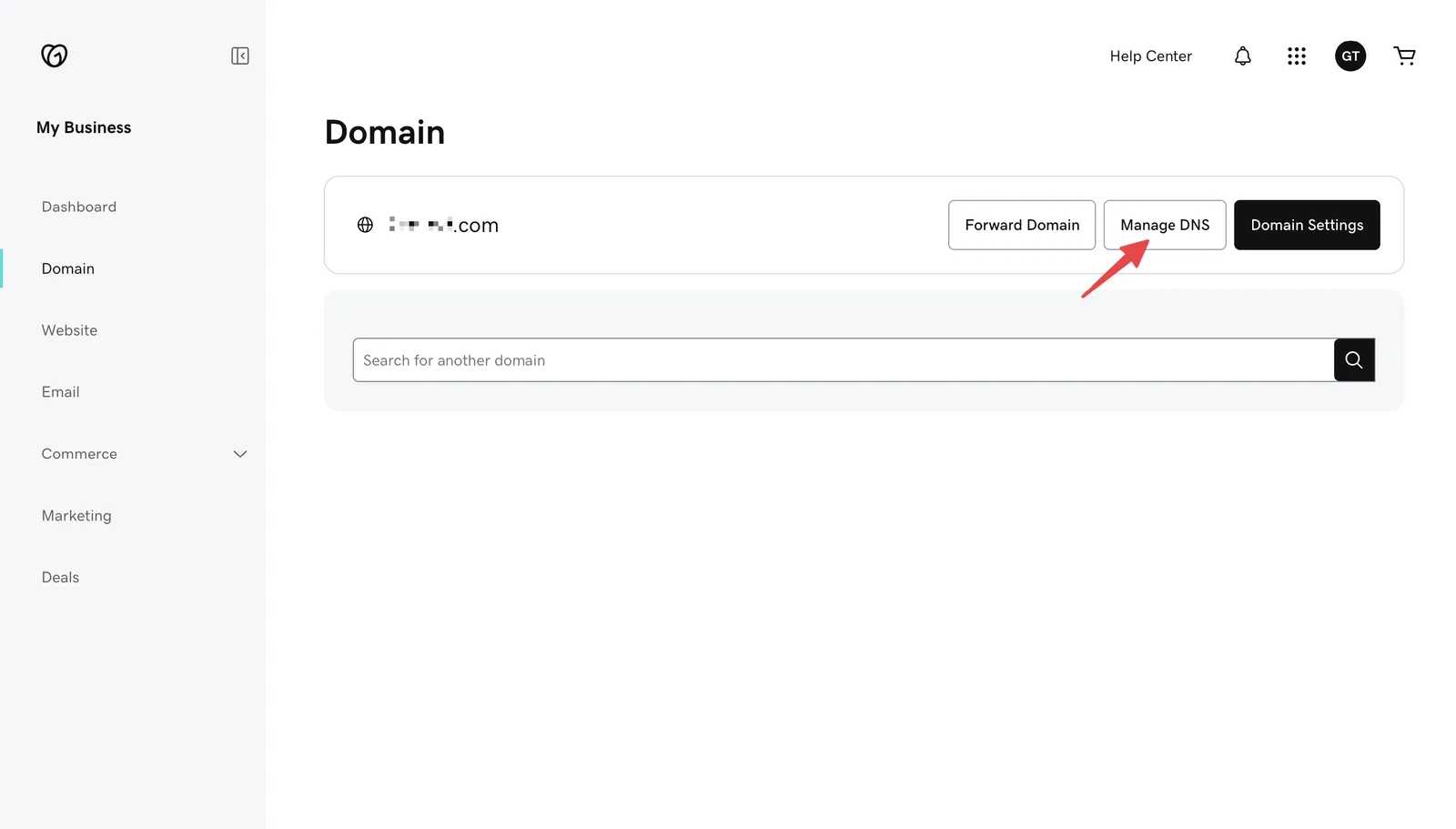
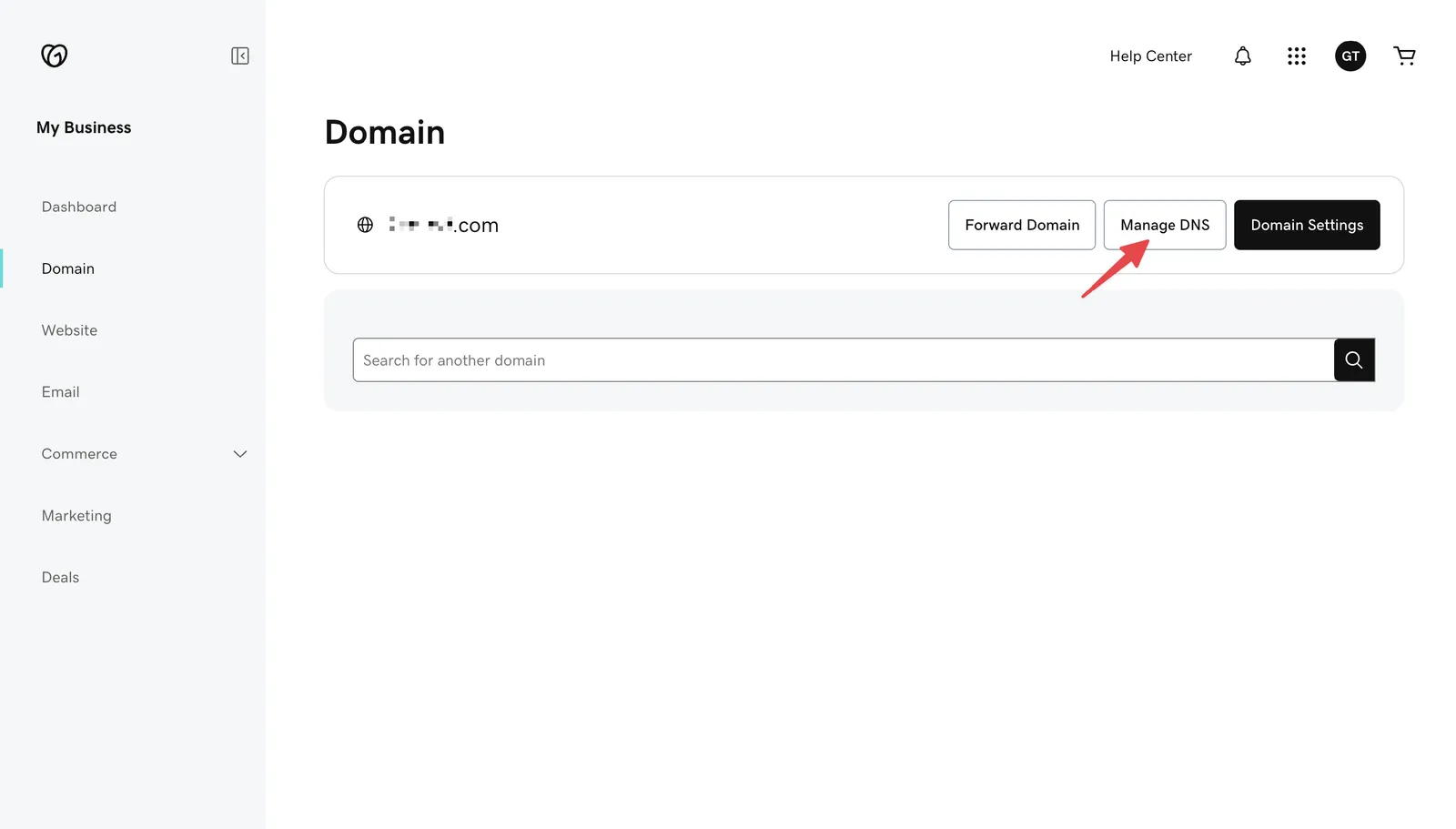
Log in to your GoDaddy account and go to the Domain section. Select the domain you want to use and click Manage DNS.
Step 2: Delete the Existing A Record
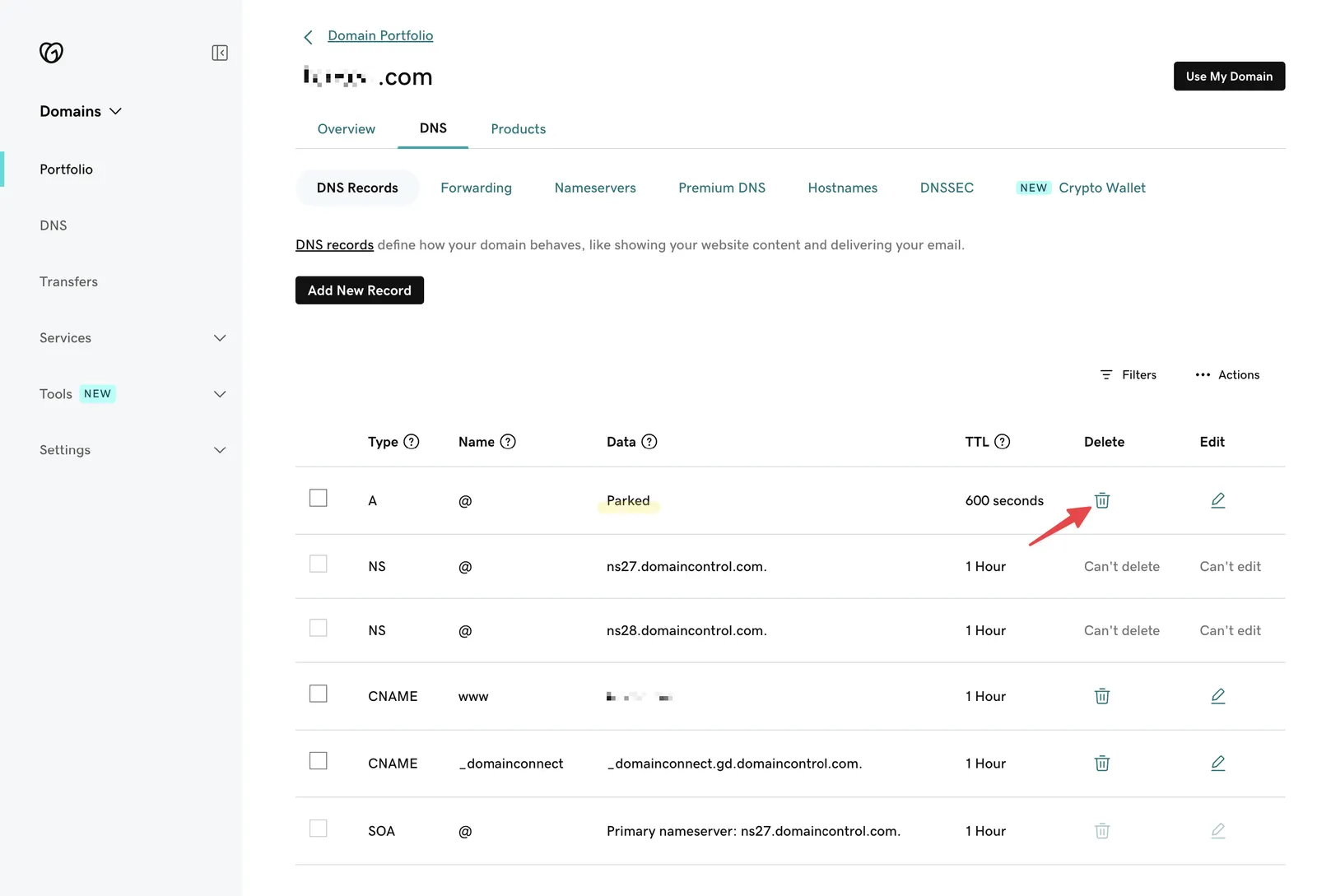
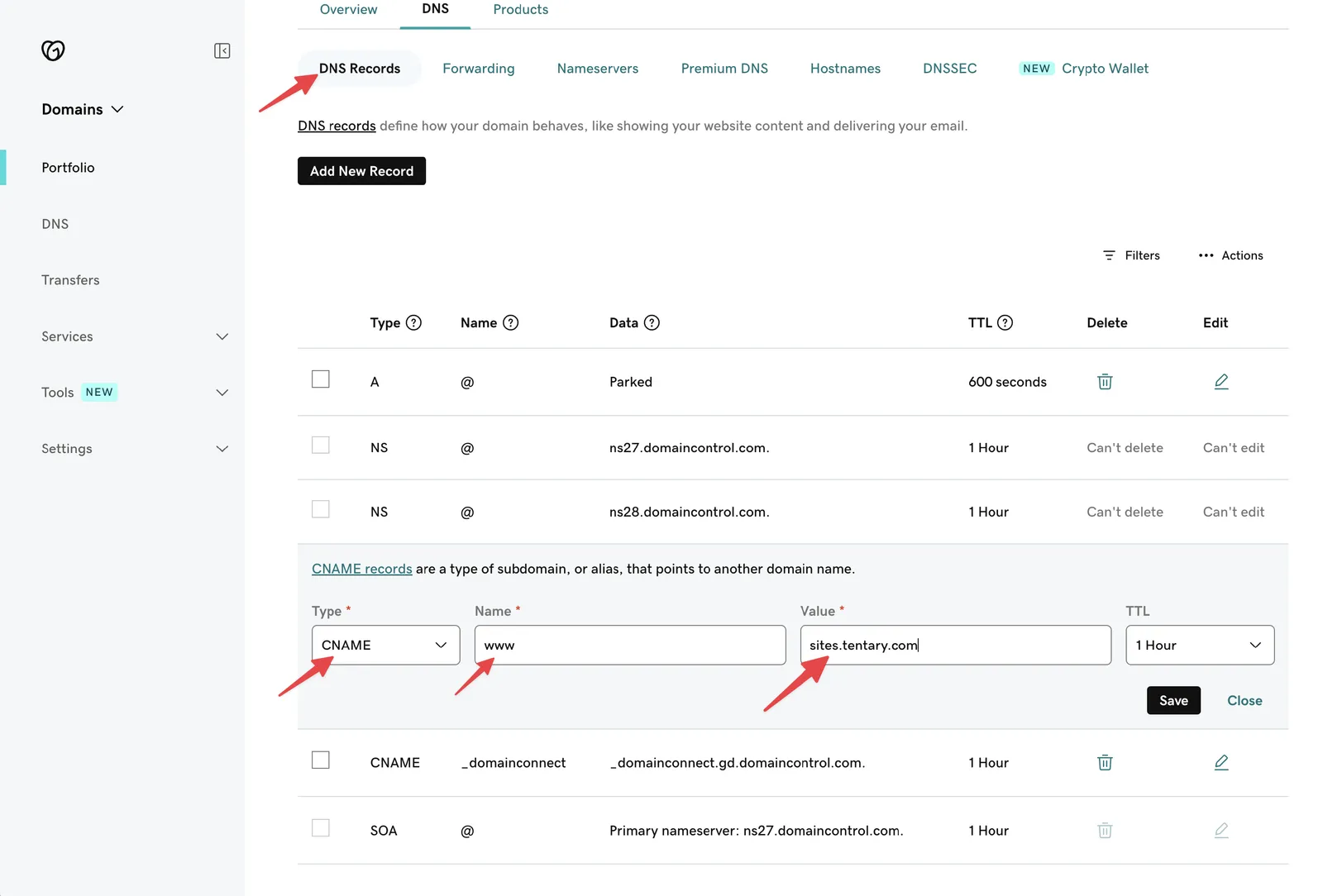
The DNS page for your domain opens. By default, GoDaddy creates an A record for @ that points to a parking page. Delete this record and any other A and AAAA records for @, so that they do not conflict with your new record.
Step 3: Create a CNAME Record
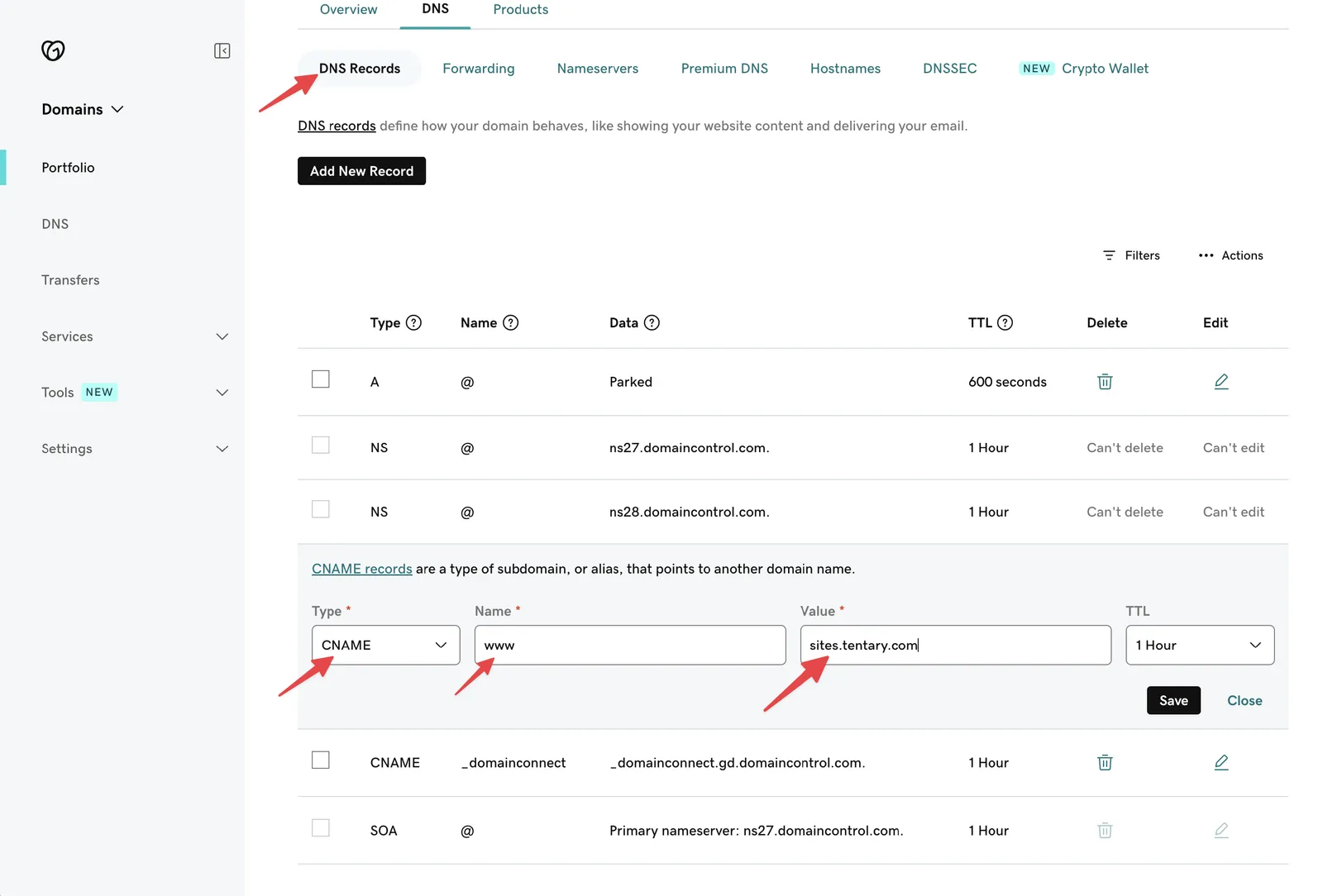
Click Add New Record and select CNAME as the type. For a top-level domain, set the name to www. Enter sites.tentary.com as the value and click Save. This connects www.shop.com to your shop.
Step 4: Create an A Record
So that your domain without www also leads to your shop, click Add New Record again and select A as the type. Enter @ as the name and 34.179.222.196 as the value, then click Save.
Step 5: Connecting your shop
Once you have completed the previous steps in GoDaddy, you can connect your Tentary Shop to your domain. To do this, open your store’s domain settings, select Custom domain and enter your full domain, starting with www, in the URL field.
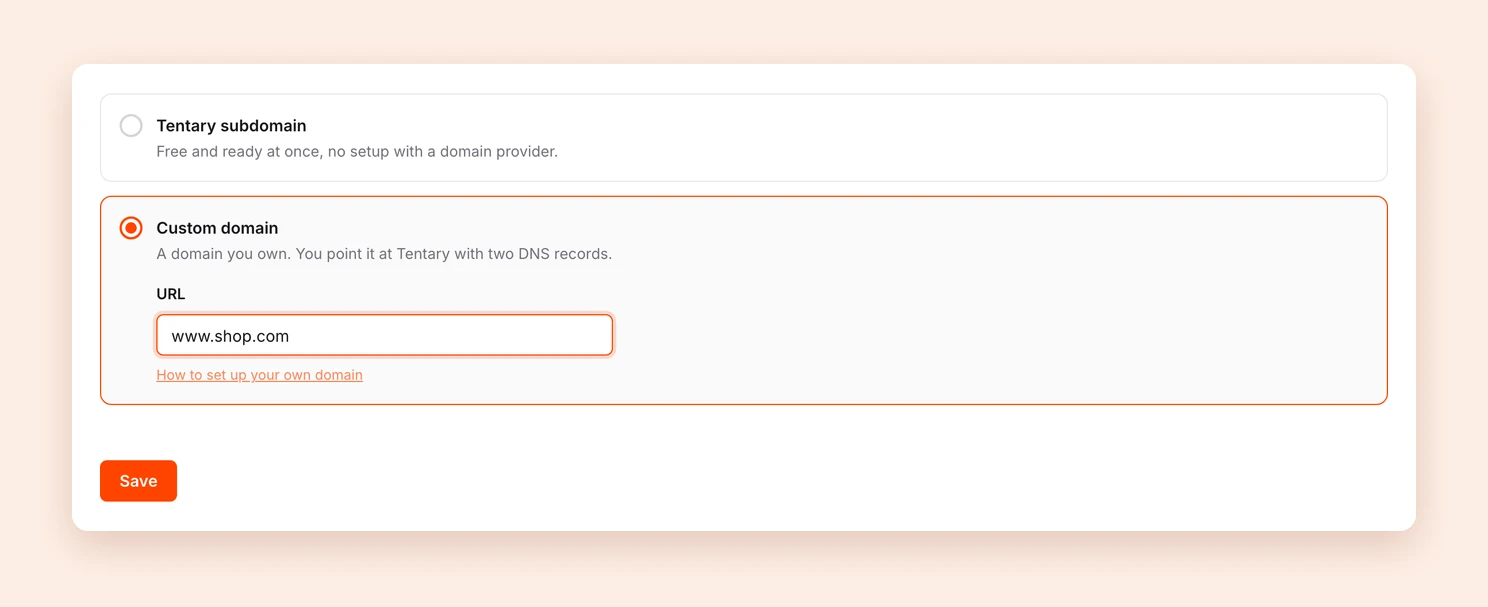
After you have clicked on Save, the status of your domain is shown at the top of the page. Your domain is usually reachable within a few minutes, but DNS changes can also take a few hours.
Finally, open your domain without www, for example shop.com. You should land on https://www.shop.com automatically, with the lock icon in the address bar.
Subdomain (e.g., shop.website.com)
If you want to connect your own subdomain, follow these steps:
Step 1: Access Your Subdomain’s DNS Settings
Log in to your GoDaddy account and go to the Domain section. Select the domain you want to use and click Manage DNS.
Step 2: Create a CNAME Record
Click Add New Record and select CNAME as the type. In the name field, enter your subdomain. For the example shop.website.com, you would enter shop. Enter sites.tentary.com as the value and click Save. Your subdomain is now linked to your shop.
Step 3: Connecting your shop
Once you have completed the two previous steps in GoDaddy, you can connect your Tentary Shop to your subdomain. To do this, open your store’s domain settings, select Custom domain and enter your subdomain, without www, in the URL field.
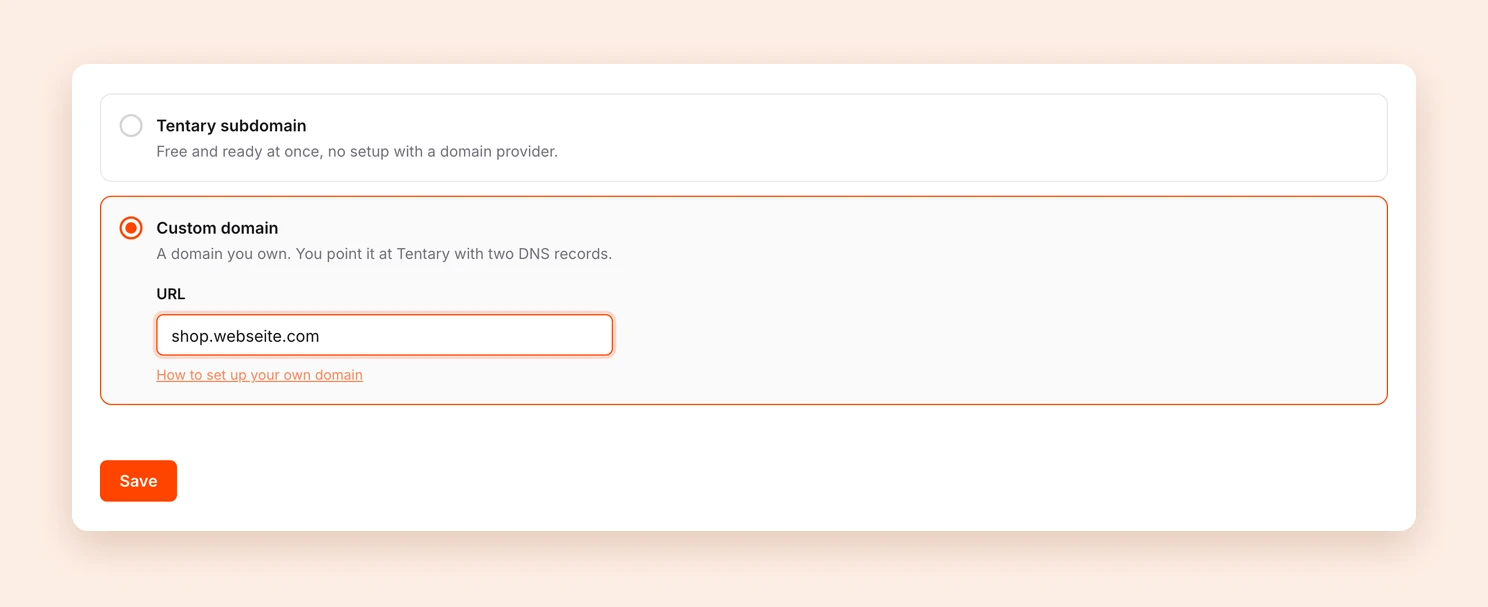
After you have clicked on Save, the status of your subdomain is shown at the top of the page. Your subdomain is usually reachable within a few minutes, but DNS changes can also take a few hours.
Last updated October 2, 2026