Set up your shop
Your shop page displays all your active products and additional information you define. In this article, we introduce the shop page and walk you through the setup process.
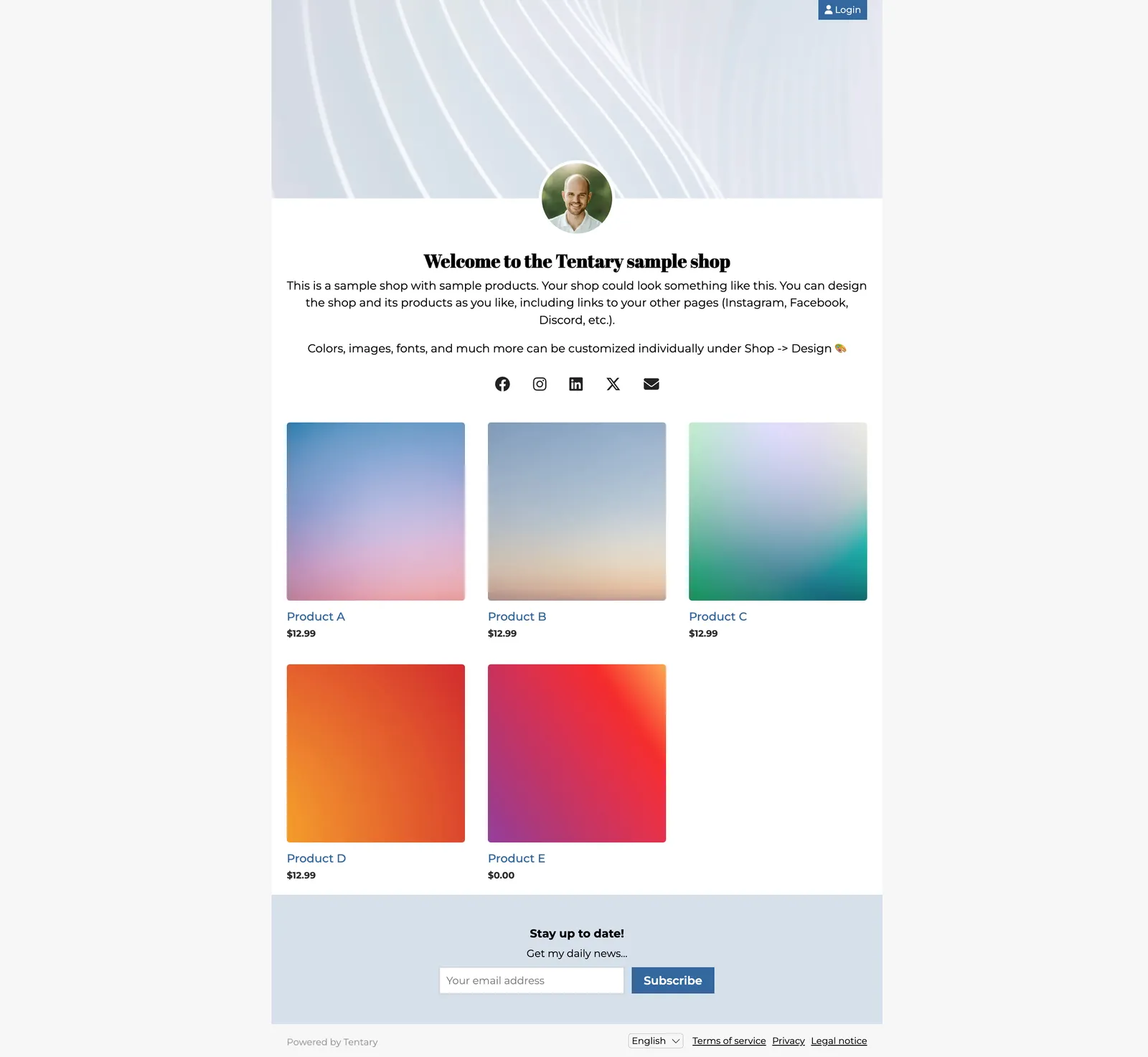
Want to see what your shop could look like? Our Creators page shows real shops from sellers who use Tentary.
Setting Up Your Store
To set up your store, navigate to the Online-Store menu item. On the following pages, you can add content to your shop and make additional adjustments.
General
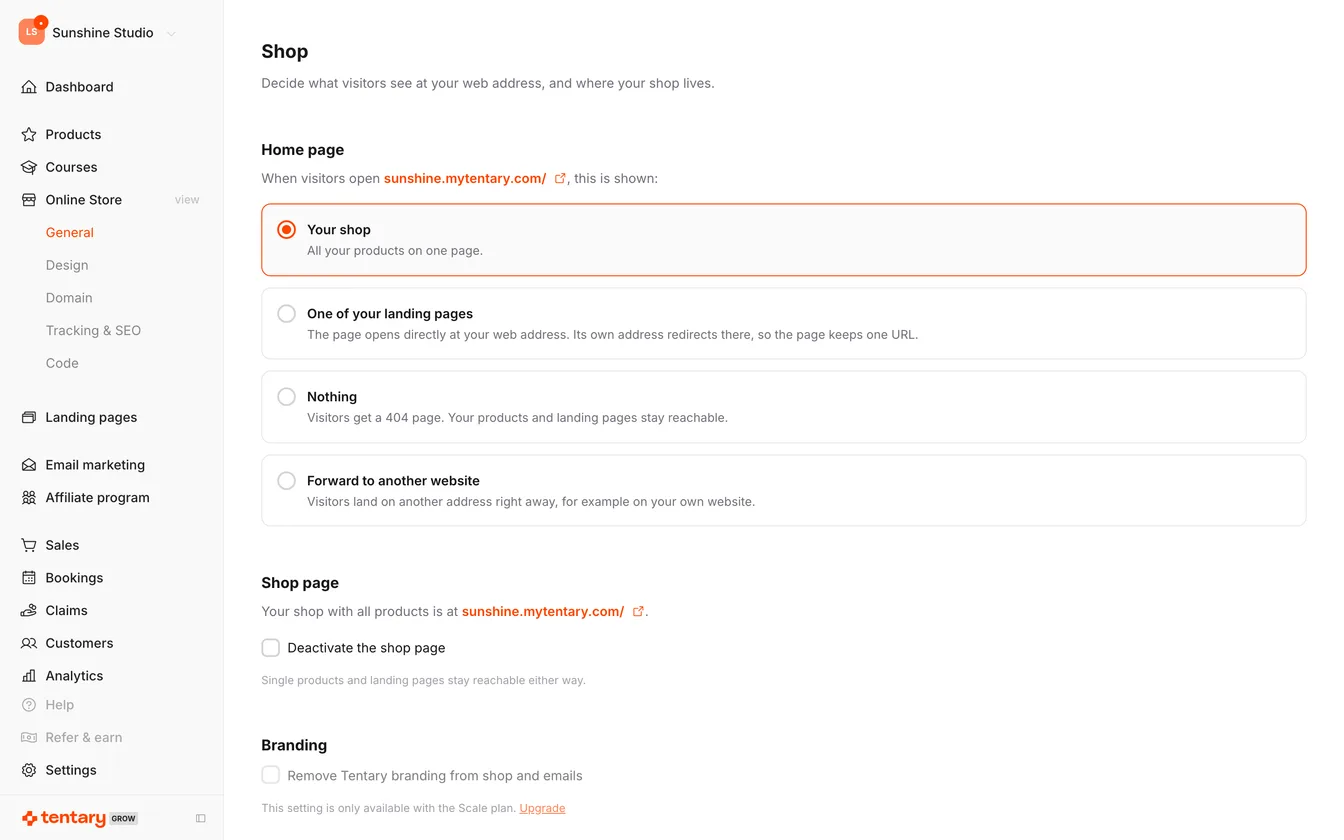
Under Home page you decide what visitors see when they open your shop address:
- Your shop: all your products on one page. This is the default.
- One of your landing pages: a published landing page is shown directly at your address.
- Nothing: visitors get a 404 page.
- Forward to another website: enter the address to forward to under Web address.
Below that you will find the Shop page section. Deactivate the shop page hides the overview of all your products. Single products and landing pages stay reachable either way.
Design
Design is where you set how your shop looks: theme, colours, fonts, logo, banner and more. The article Customize the design of your sales page covers every setting.
Domain
Domain is where you choose your shop address. The simplest option is a Tentary subdomain, which makes your shop reachable at yourname.mytentary.com right away. Alternatively you connect your own domain, see Set up a custom domain for your shop. For where to find your shop URL and what it is for, see Where Can I Find My Shop URL….
Tracking & SEO
Here you connect your shop to third party services: the Meta Pixel ID for Tracking with the Meta Pixel, and Google Search Console verification, which proves to Google that the shop is yours. See also Appear in Google Search.
Custom Code
Code is where you embed your own JavaScript, HTML or CSS into your shop. The article Add custom code to your shop and landing pages explains how.
Last updated March 13, 2026