Adjusting Email Notifications
Tentary emails you about sales and news about your account. Here is which notifications there are and how to adjust them.
On this page
Where to find your notifications
Open your Settings and click Notifications in the Shop area.
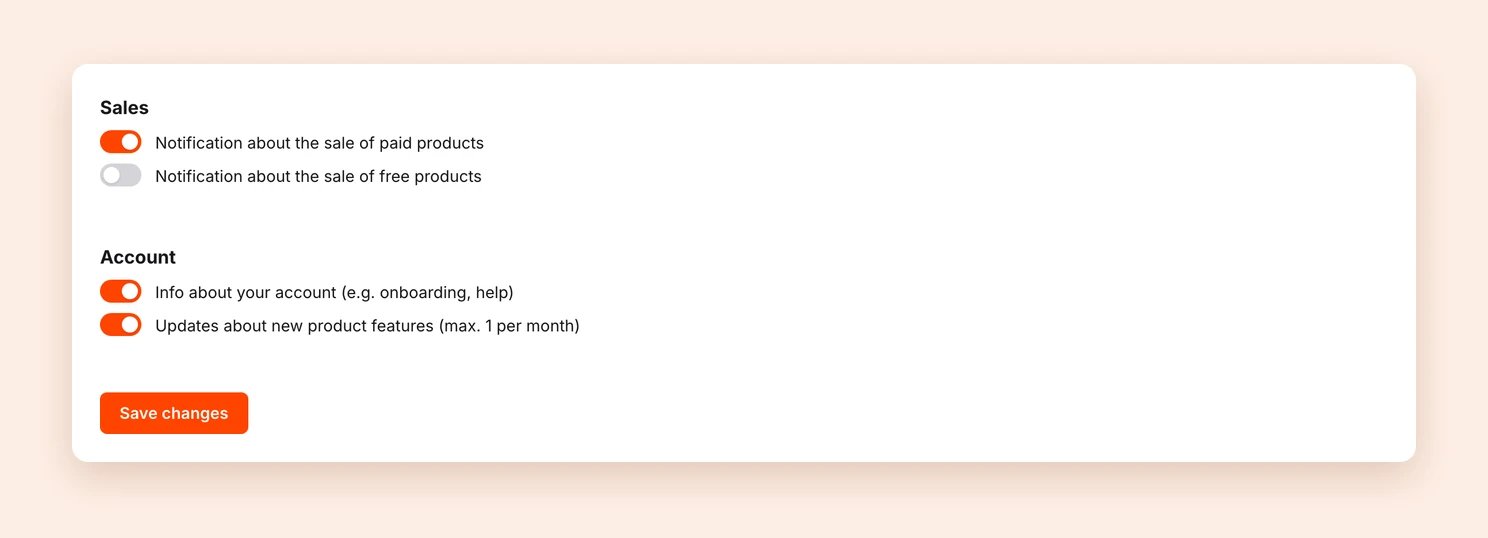
Which notifications there are
The notifications are split into two areas.
Sales
- Notification about the sale of paid products (on by default)
- Notification about the sale of free products (off by default)
Account
- Info about your account (e.g. onboarding, help) (on by default)
- Updates about new product features (max. 1 per month) (on by default)
Adjusting your notifications
Switch the notifications you want on or off and click Save changes.
Note: You always receive emails about problems with your account or your payments, no matter which notifications you switch off.
All notifications go to the email address of your Tentary account. To change it, see Change email address.
Last updated October 13, 2026