Drip Content in Online Courses
With drip you decide when individual lessons or whole modules unlock, instead of opening the entire course the moment someone buys.
On this page
Where to find the drip setting
Drip is not a settings page of its own. It sits on the lesson or module you want to control.
Open your course and click the status on the right of a row in the course outline, for example Published or Draft. A small menu opens, containing Drip.
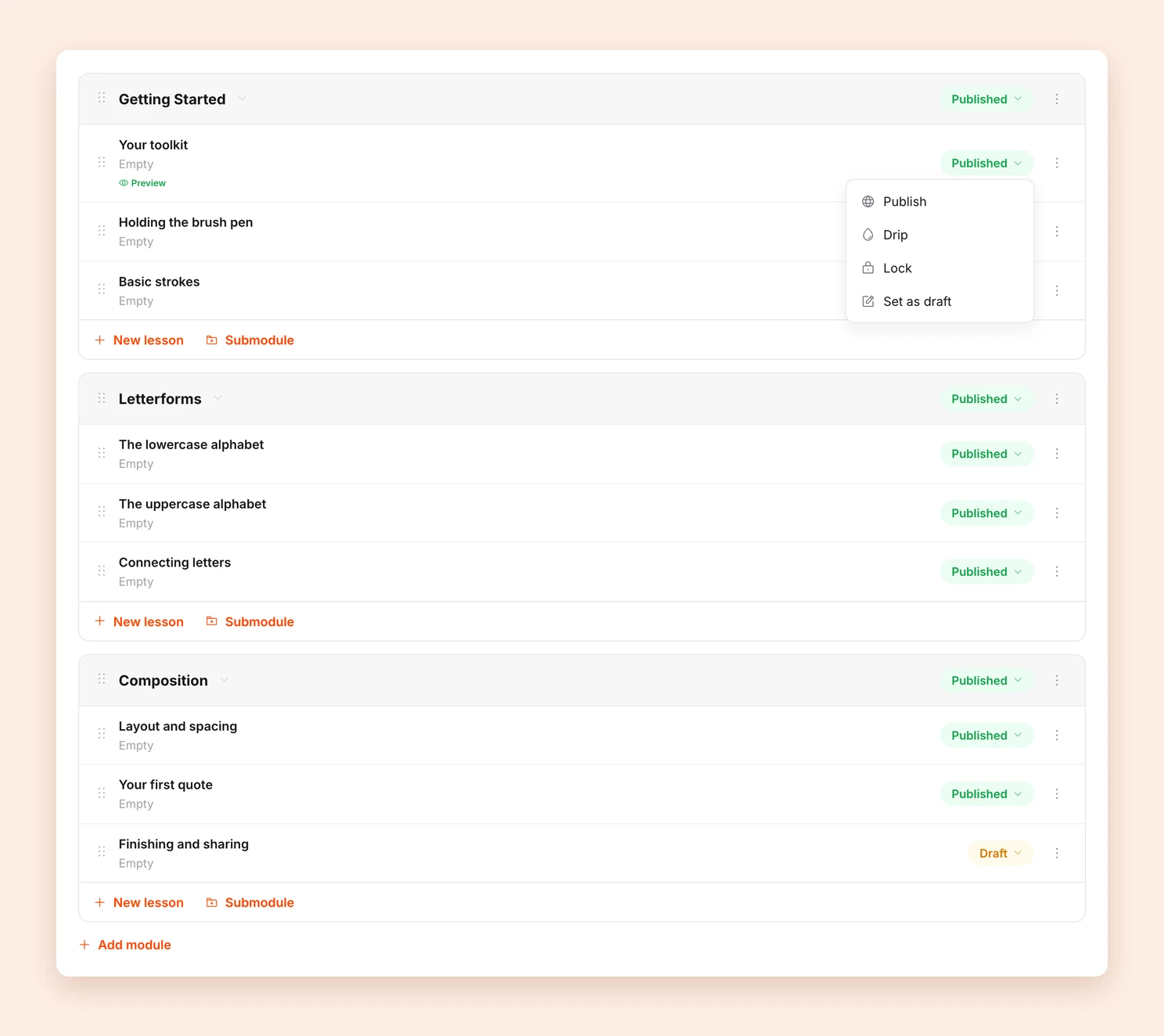
Every module has this status, and so does every single lesson.
The three options
Clicking Drip opens a dialog. Under Availability you choose one of three:
- Days after purchase: the content unlocks a set number of days after the purchase, for example after 7 days.
- Hours after purchase: the same in hours, for shorter gaps right after the purchase.
- On a specific date: the content unlocks on a fixed date, no matter when someone bought. Useful for courses a whole group goes through together.
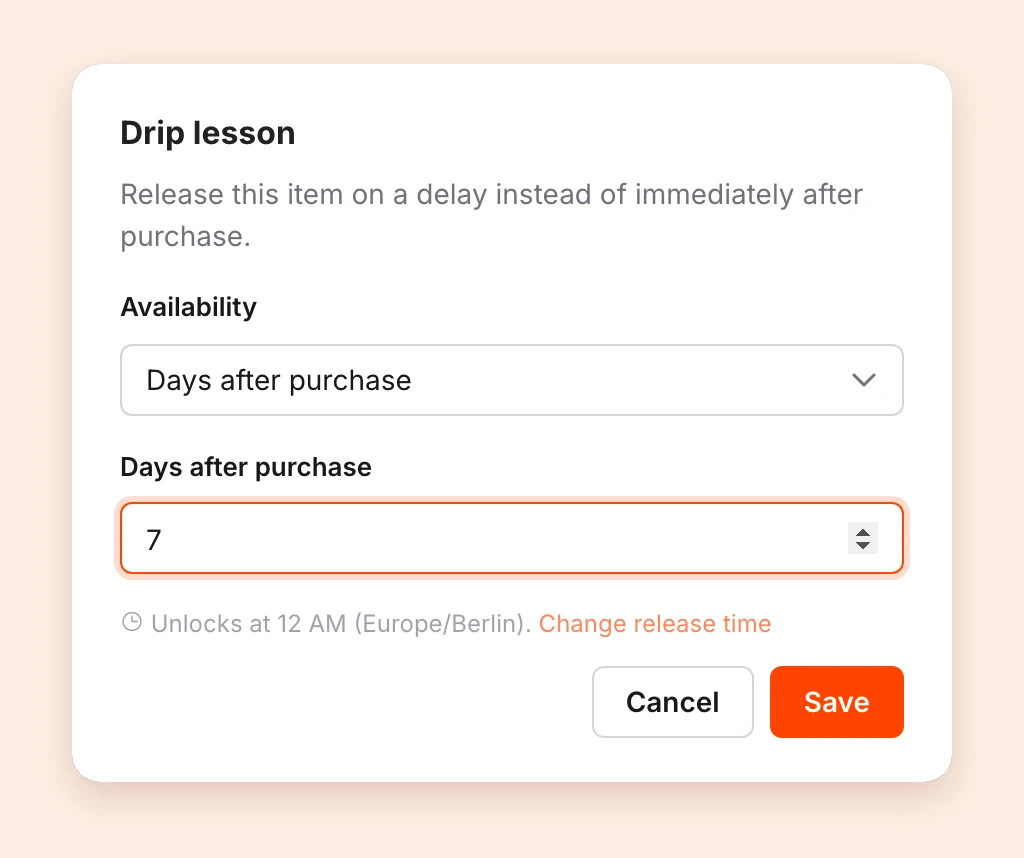
Finish with Save.
Whole modules or single lessons
You can set drip on two levels:
- On a module: every lesson inside it stays closed until then. This is the quickest way to split a course into weeks.
- On a single lesson: only that lesson waits, the rest of the module stays open.
Note: A drip on a module applies to everything inside it. You do not need to set the individual lessons as well.
When exactly it unlocks
Days after purchase and On a specific date unlock at a fixed time of day, not at the exact minute of the purchase. The dialog shows which time, for example “Unlocks at 12 AM (Europe/Berlin)”.
That time applies to your whole account. Change it through the Change release time link in the dialog, or under Settings > Courses.
Hours after purchase counts exactly from the moment of purchase instead.
Drip or Lock?
The same menu also offers Lock. The two solve different problems:
- Drip unlocks after a period of time, regardless of what someone has done.
- Lock unlocks once a particular lesson has been completed.
The two combine: a module can start 7 days after purchase and also require the introduction.
Tips
- Set expectations. Say in the course or the order confirmation when new content arrives. Otherwise a closed lesson looks like a fault.
- Start simple. One drip per module is usually enough. Pacing lesson by lesson gets hard to follow quickly.
- Check the result. Open your course as a participant to see what is visible right after the purchase.
Last updated September 4, 2026