All about affiliate links
Your affiliate link earns you the commission for purchases that come through you. Here you learn where to find your links and how they work.
On this page
What is an affiliate link?
An affiliate link is a normal link to a product or landing page with your affiliate ID attached. This is how Tentary knows that a purchase came through you and credits the commission to you.
Example: myshop.tentary.com/p/ABCDE?aref=12345
The part ?aref=12345 is your affiliate ID. Do not remove it, or the purchase cannot be attributed to you.
Where to find your links
In the Affiliate Hub, Products lists all products of the programs you joined. Each product has a Product link to the sales page, a Checkout link straight to the checkout page and a link to the Shop. Landing pages made available to you are listed below in the Landing pages section. All links already contain your affiliate ID.
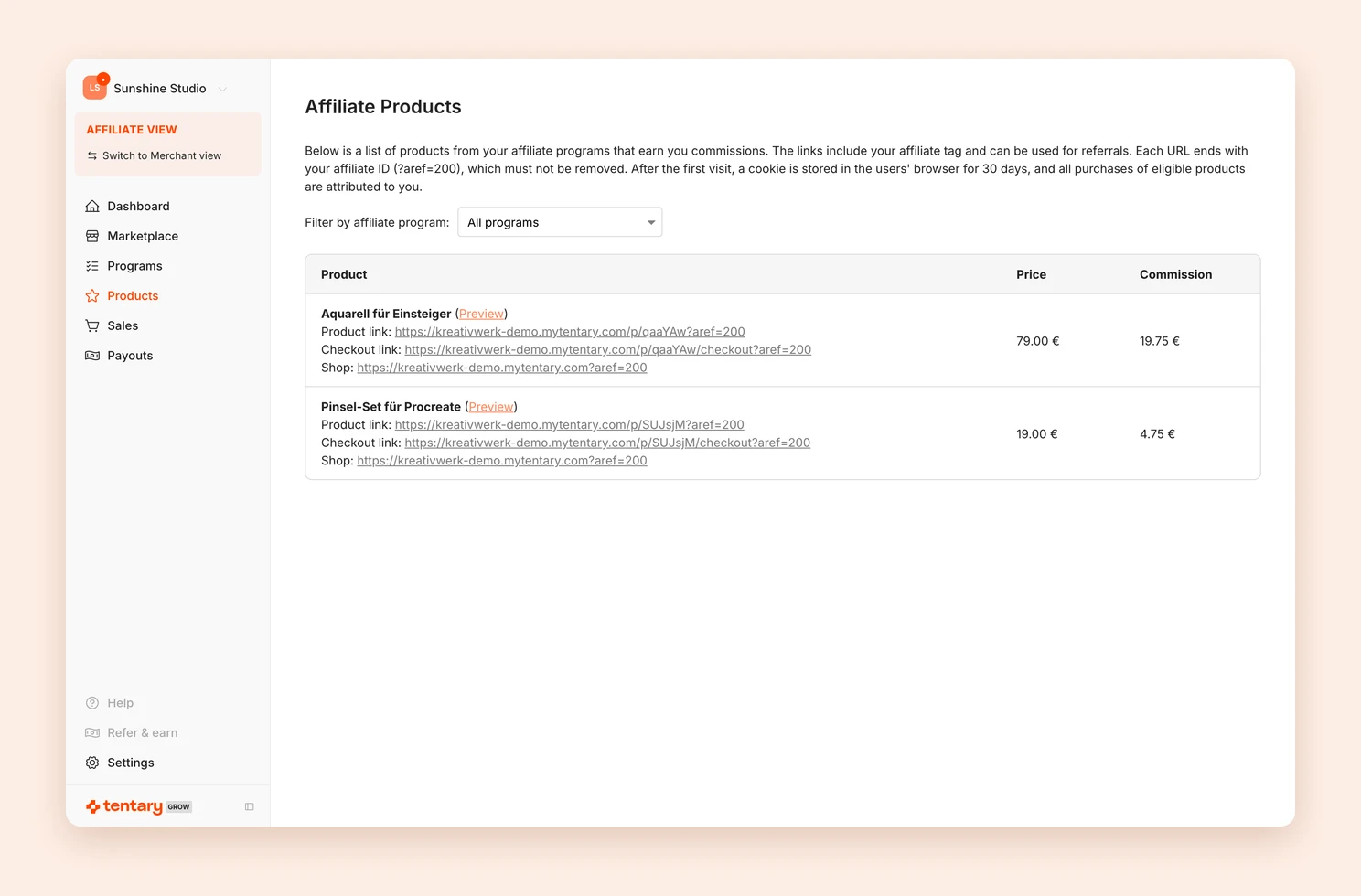
New products appear in the list as soon as you have joined a program and been approved. See Affiliate marketing for partners.
How an affiliate link works
When someone clicks your link, the browser stores your affiliate ID in a cookie. The cookie lasts 30 days, so the person can take their time. If they buy in the same shop within that period, you earn the commission.
Why was a sale not attributed to me?
- The link was not used. The person opened the shop directly or used a link without your affiliate ID.
- Cookies are blocked. If a browser blocks all cookies, the purchase cannot be attributed. This is rare and affects every affiliate program, not just Tentary.
- Another link came later. The last click always counts. If the person clicked another affiliate’s link after yours, that person earns the commission.
- The seller reset the attribution. This is possible, for example, for links in their own newsletter. See Reset the affiliate cookie.
You can check in the checkout whether a link works, if the program uses the transparency mode.
Last updated October 15, 2026