VAT on Sales to Switzerland
If you sell products to customers in Switzerland, you may be required to charge and remit Swiss VAT. This article gives you an overview.
On this page
When do I need to charge Swiss VAT?
You are required to register for VAT in Switzerland as soon as:
-
your total annual revenue worldwide exceeds CHF 100,000 (including outside Switzerland), and
-
you sell digital products to private customers in Switzerland (B2C).
Note: This applies regardless of whether your business is based in Germany, the EU, or elsewhere.
What does this mean in practice?
-
You must register with the Swiss Federal Tax Administration.
-
For B2C customers in Switzerland, you must apply the current Swiss VAT rate (currently 8.1%, or 2.6% for eBooks) on your invoices and regularly remit it to the Swiss Federal Tax Administration.
-
For B2B customers in Switzerland, the reverse charge mechanism typically applies, as long as the buyer’s business status is documented.
If you sell exclusively to businesses, you don’t need to show Swiss VAT, but you may still need to register if your total global revenue exceeds the CHF 100,000 threshold.
What happens if I don’t register?
The Swiss tax authorities may demand back payments of VAT and interest, and in more serious cases, may also impose fines.
We recommend monitoring your revenue and registering early if required.
Disclaimer: We do not provide tax advice. Please consult your tax advisor for case-specific guidance.
How do I activate Swiss VAT in my account?
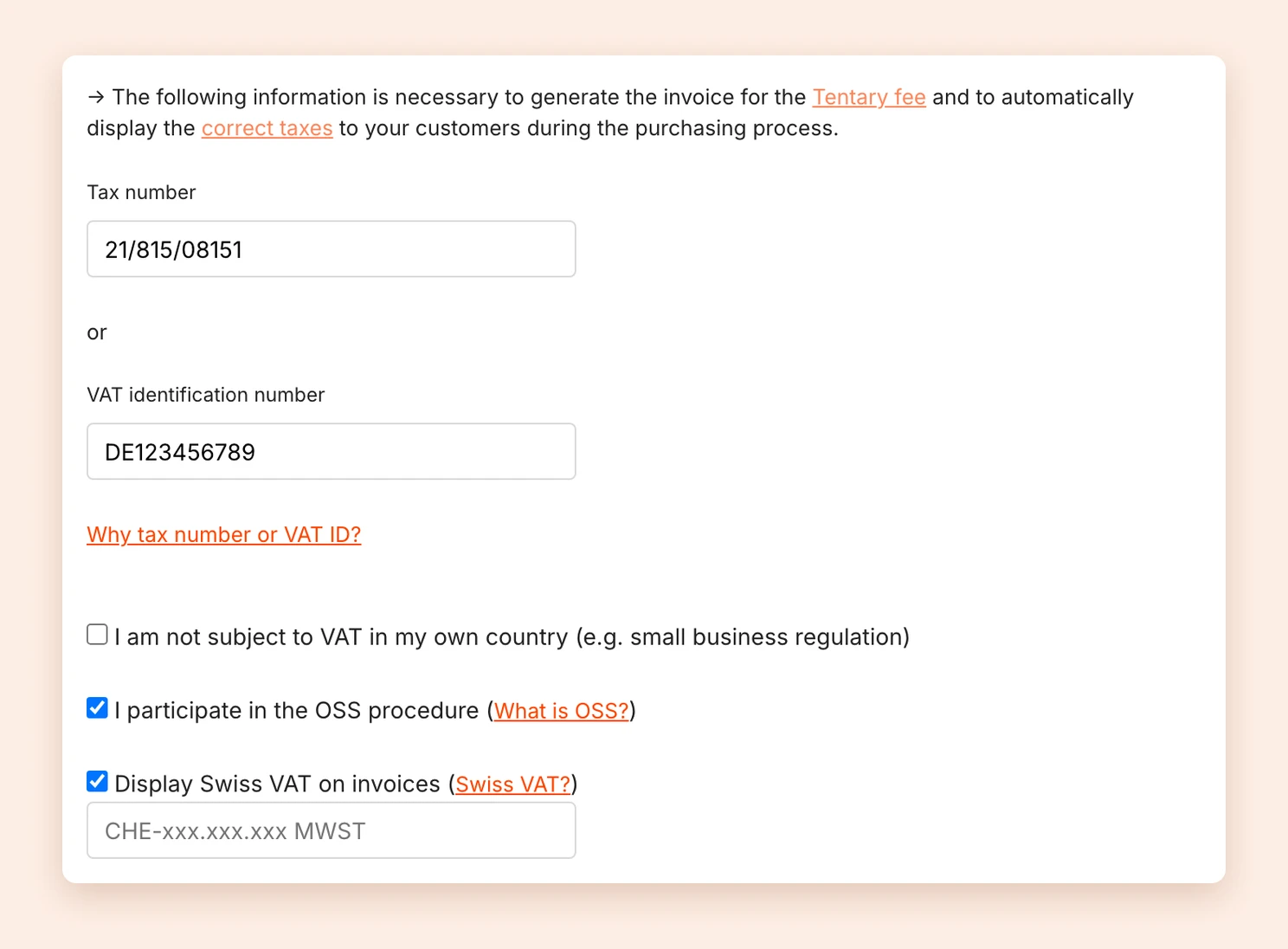
If you are required to charge Swiss VAT, activate it in your settings under Billing address in the Taxes section. From then on, Tentary takes it into account during checkout and on your invoices.
Sellers from the EU
- Activate I participate in the OSS procedure. Only then does the option for Switzerland appear.
- Activate Display Swiss VAT on invoices.
- Enter your Swiss VAT number in the field below, in the format
CHE-xxx.xxx.xxx MWST. - Click Save changes.
Sellers outside the EU
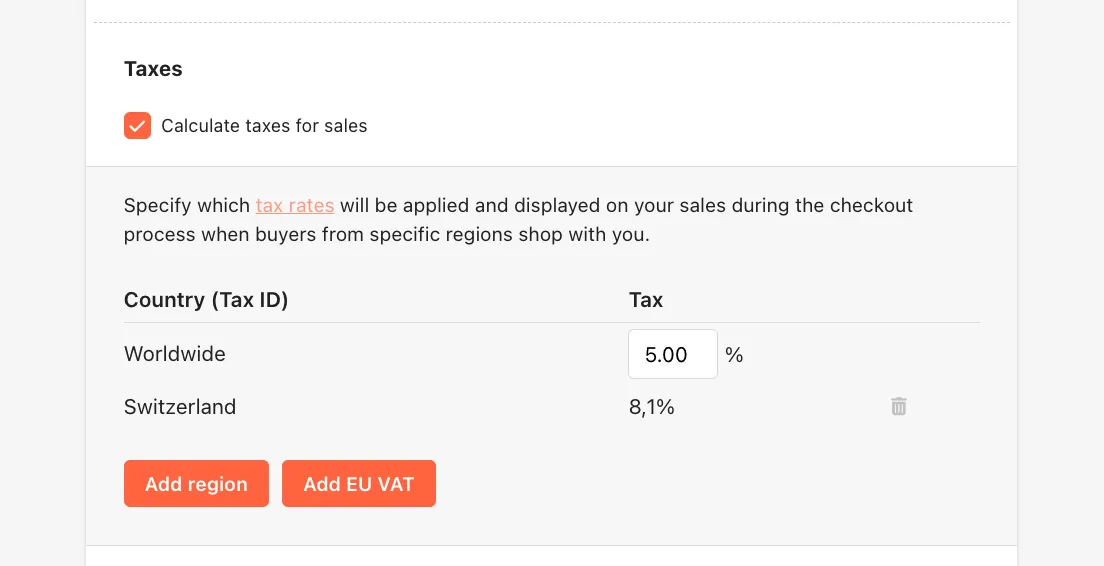
Activate the option Calculate taxes for sales and add your own tax rate for Switzerland with Add region. See tax rates outside the EU.
Last updated October 13, 2026