Create, Edit, and Assign Categories
Do you want to organize your products into categories to improve the clarity of your shop? In this article, we’ll show you how to create and edit categories, assign them to your products, and display them in your shop.
On this page
Create Categories
To create a category, go to Products > Categories and click on + New Category. You can assign a title to your category as well as a description, which will be displayed when customers select this category in your shop.
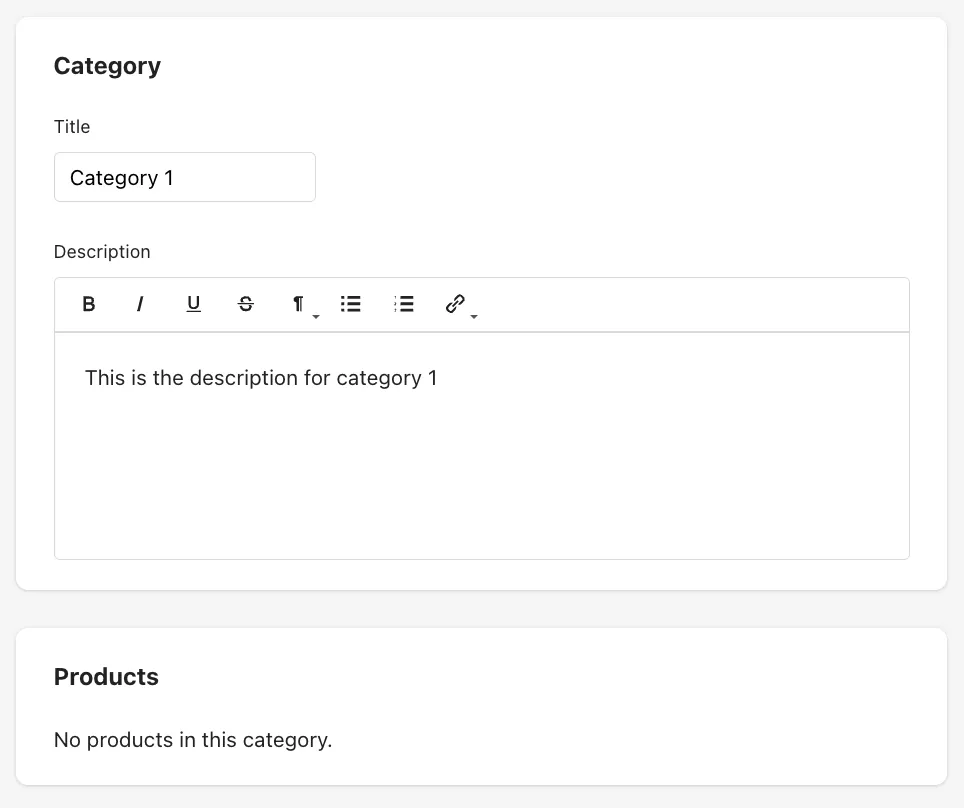
Click Save to activate the category in your shop. You will automatically be redirected to the category overview.
Category Overview
In the overview of your categories, you can see the name of the category, how many products are assigned to this category and you can perform two actions. It is possible to either delete a category that you no longer want to use, or to edit it.
Note: If you delete a category, it will be permanently removed. All products assigned to this category will lose their category association. However, if a product belongs to multiple categories, it will only lose the deleted category.
Edit Categories
Click the Edit button to modify the title or description of a category. Below, you will also see a clear list of all products assigned to this category.
Assign Categories
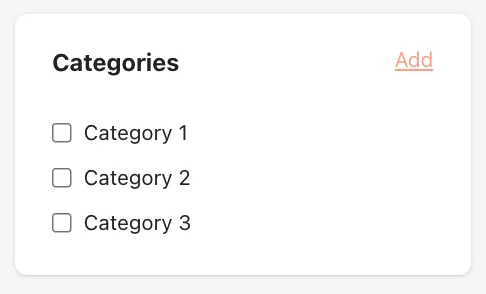
To assign a category to a product, open your product list and click Edit on the desired product. Below the product statistics, you will find the Categories tab. Check one or more categories for the product and save your selection.
Display Categories in Your Shop
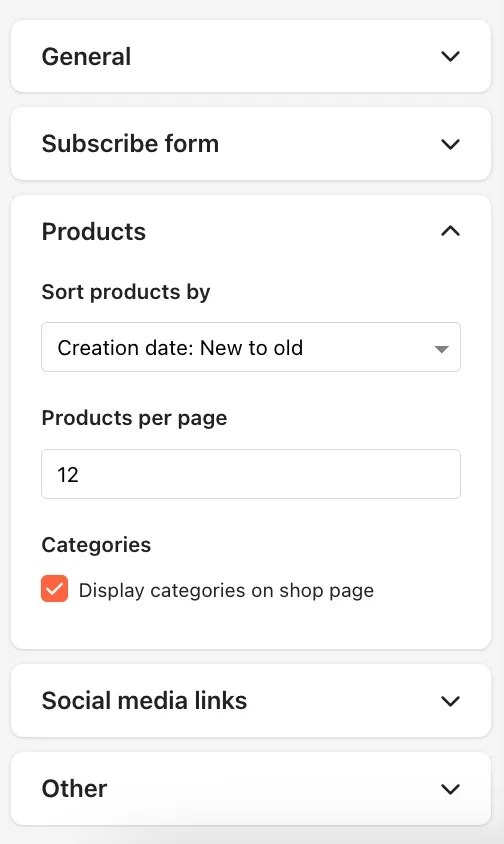
To display your created categories in your shop, navigate to Shop > Design and scroll to the Products tab. Enable the option Display categories on shop page.
Your product categories will then appear as a drop-down menu below your shop description and social media links, as shown in the screenshot:
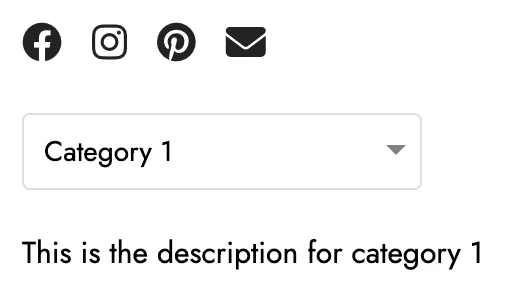
This allows your customers to directly select a category of interest and view only the products belonging to that category.
Last updated October 7, 2025