Sort products in your shop
If you want to sort the products in your shop differently from the default setting, you can make this change in just a few clicks. In this article, we'll show you how to do it and what sorting options are available.
How can I change the order of my products?
The feature Sort products by manages the order of the products in your shop. To adjust it, go to Shop > Design and scroll down to the Products tab.
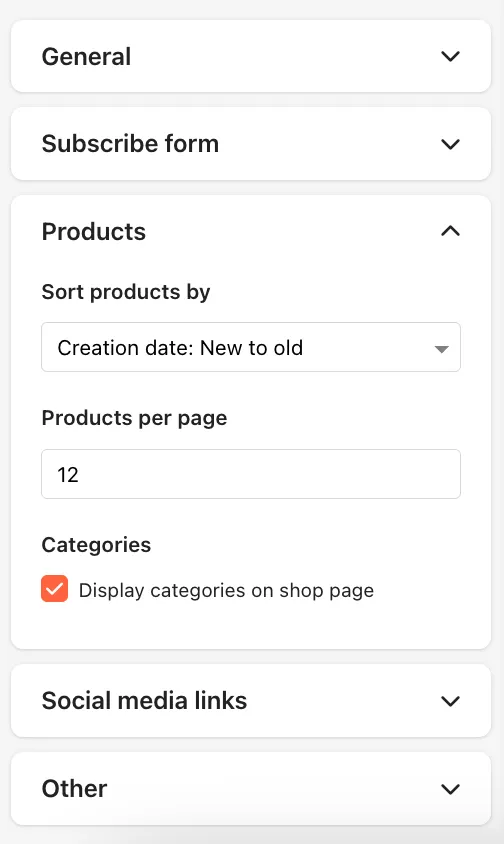
Sorting options
The following options are available, and you can choose them in either ascending or descending order:
- Title
- Price
- Creation date
- Update date
Additionally, you can select the Custom option if you prefer a custom sorting order. In this case, you can freely arrange your products using drag-and-drop.
Don’t forget to click the Save button after making your selection to apply your settings to your shop.
Last updated October 7, 2025