Activity log: see what changed in your account
The activity log shows day by day what you and your team members changed in your account, for example in products, orders or settings.
Where to find the activity log
Open your Settings and click Activity log in the Account area.
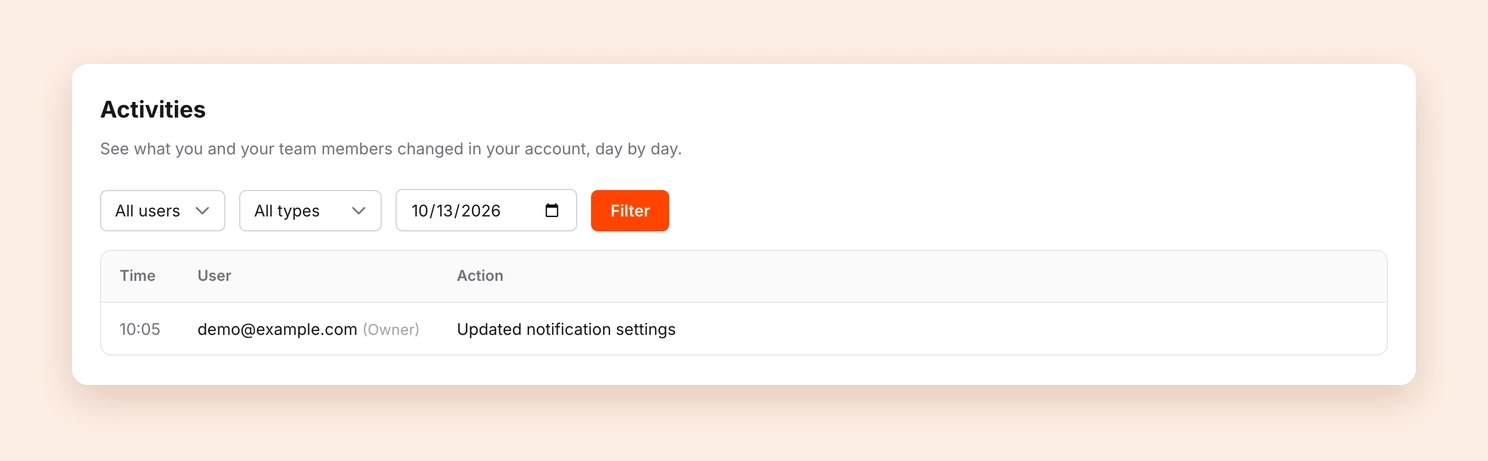
For every entry you see the Time, the User and the Action, for example Updated product or Issued refund. Your own changes are marked (Owner), changes by your team members (Team).
What the log records
Among other things, Tentary records:
- sign-ins, sign-outs and password changes
- changes to products, categories, order bumps and discounts
- actions on orders, for example refunds, resent purchase confirmations or extended access
- changes to customers, emails, affiliates and claims
- changes to your settings
Filtering entries
Use the filters at the top of the page to narrow down the list:
- User: only your own changes, or those of a specific team member
- Type: for example only Products, Orders or Settings
- Date: the changes of a specific day
Click Filter to apply your selection. Reset shows all entries again.
Who can see the log
As the account owner, you can see the activity log. Of your team members, only those with the Admin role have access to it.
Tip: The log is especially helpful when several people work in your account. If a product changed unexpectedly, you quickly see who changed it and when.
Last updated October 13, 2026