All about refunds, chargebacks and disputes
A payment can be reversed in different ways: as a refund you trigger yourself, or as a dispute and chargeback through the payment provider. Here you learn what the terms mean, how to refund an order and which fees apply.
On this page
Terms at a glance
- You trigger a refund (also called a cancellation) yourself in Tentary. You decide to pay money back to your customer, for example because you offer a voluntary return policy.
- With a partial refund you pay back only part of the amount.
- A dispute is a case opened with the payment provider. The customer reports a problem with the payment there, for example that the product never arrived.
- A chargeback happens when the bank or payment provider reverses a payment. Only the customer side can trigger a chargeback.
Right of withdrawal and goodwill
In the EU, online purchases generally come with a statutory right of withdrawal of 14 days. Within this period, buyers can withdraw from the purchase. They get their money back and lose access to the product.
For digital products that are available immediately, the right of withdrawal can be excluded. Your customers must expressly agree to this before the purchase. On Tentary this is the default: the checkout shows a required checkbox where buyers agree that their right of withdrawal expires. In this case you do not have to grant a refund request.
Tip: Many sellers voluntarily offer a return policy for the first few days after a purchase. This builds trust with your community.
To offer a withdrawal period for a product, open the product and enable Adjust withdrawal period (Default: Exclusion of withdrawal). Under Withdrawal period, choose between No right of withdrawal, 14 days and 30 days.
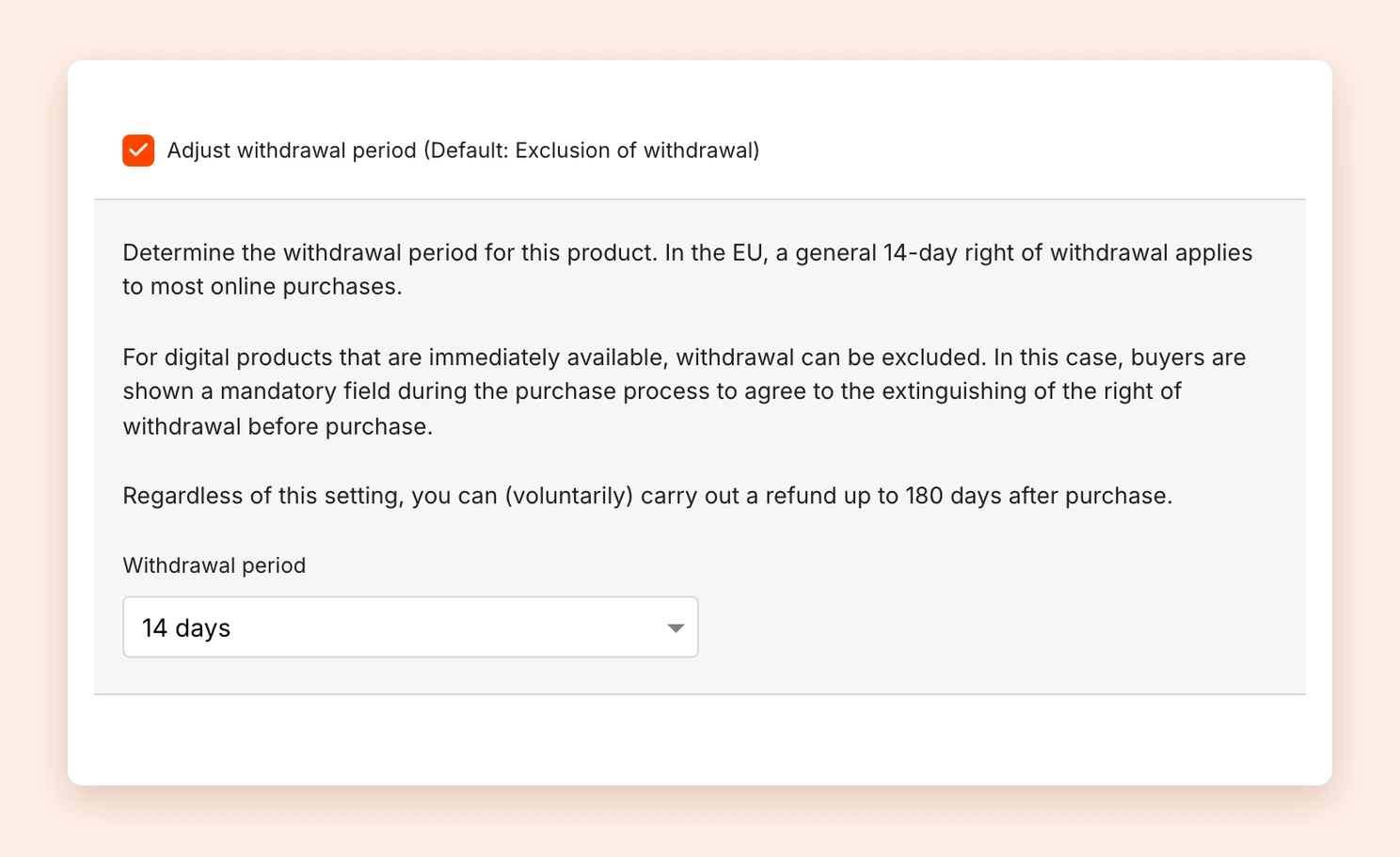
To learn how your customers can declare a withdrawal themselves, see Withdrawal button.
Refund an order
- Open the order under Sales.
- Under Refund in the Actions box, choose how much you want to pay back:
- Full: the entire amount.
- Partial: an amount you enter yourself.
- Click Refund and confirm the prompt.
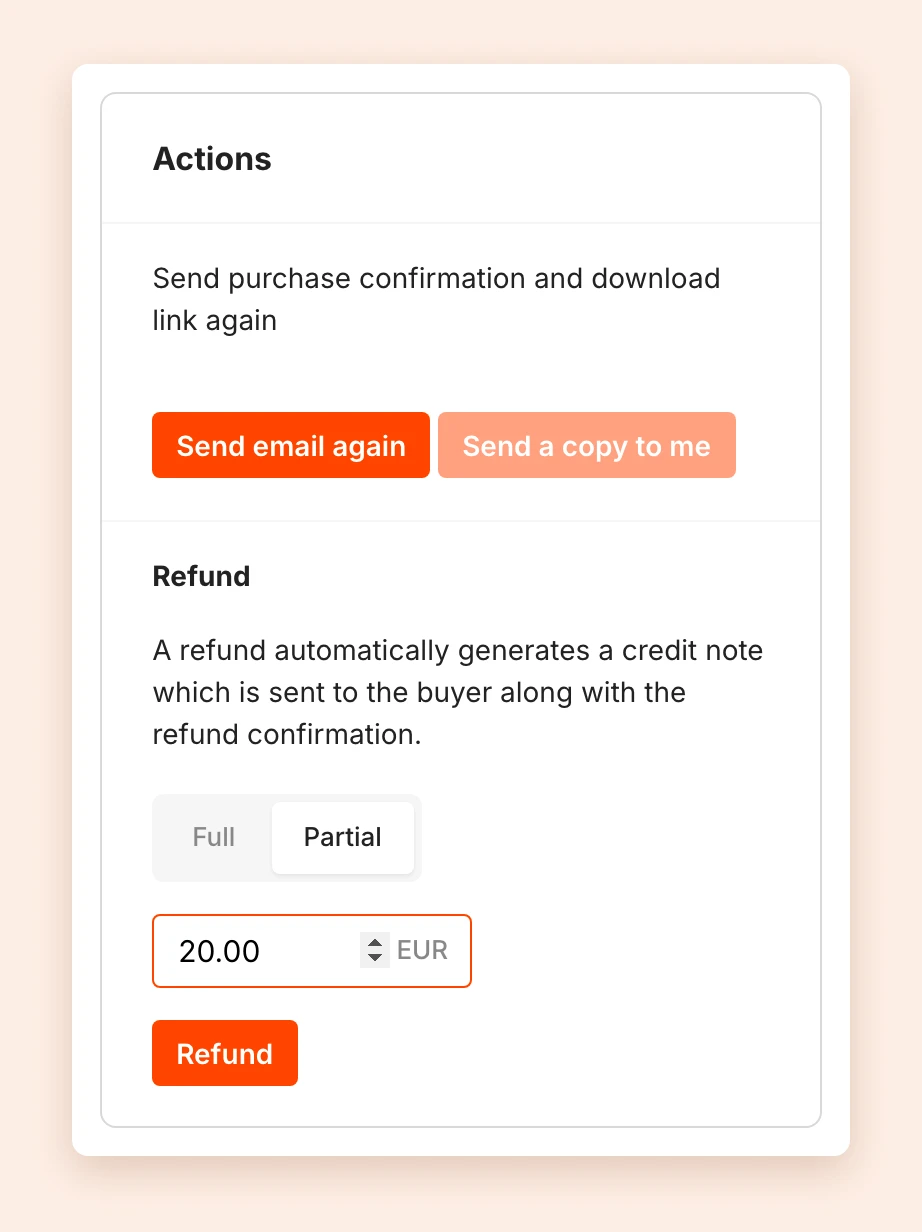
The money goes back via the payment method that was used. Tentary informs your customer by email. If the order has an invoice, Tentary automatically creates a credit note and attaches it. See Correct an invoice and credit notes.
With a full refund, the person loses access to the product, and the order status changes to Refunded. With a partial refund, they keep access. Already refunded shows how much you have paid back so far. You can make further partial refunds up to the full amount.
Orders with an order bump
If someone also bought an order bump, you choose between Full for the whole order and This product. This product refunds only the product of the order you opened, the rest stays in place.
Subscriptions and installment payments
For subscriptions and installment payments, you refund each payment on its own. Click Refund next to the payment in the list of Payments or Installments. See Manage subscriptions and installments.
When a refund is not possible
- The purchase was more than 180 days ago.
- The payment is still being processed, for example a SEPA direct debit.
- The order was free. Here you find Delete purchase instead.
In these cases you do not see a refund option in the order. A refund also requires an active monthly plan.
Fees of a refund
As is common in the industry, the Tentary transaction fee is not refunded.
You also do not get back the Stripe processing fee. With PayPal, you get back the variable fees of the original payment, but not the fixed fee. Mollie charges a small fee of €0.25 per refund.
Disputes
In a dispute, your customer contacts Stripe, PayPal or Mollie and states that they do not agree with the charge. For example, because the payment was not authorized or the product supposedly never arrived.
The payment provider informs you by email. You can respond to the case and submit evidence, for example the delivered purchase confirmation with access to the product. You find when it was sent in the Activities of the order.
The payment provider decides based on the information whether the case goes in favor of the customer or in your favor. If the decision goes against you or you submit no evidence, the dispute ends in a chargeback.
Chargebacks
A chargeback is the actual reversal of a paid amount. It follows a lost dispute, or happens directly when someone asks their bank or card provider to reverse a payment.
A direct chargeback is possible mainly with direct debits and credit cards. For credit cards, banks check the reason thoroughly. Direct debits, on the other hand, are fairly easy to reverse. That is why they are disabled by default, see SEPA direct debit.
Stripe, PayPal or Mollie inform you about every chargeback. For credit card payments you can submit evidence and object. Chargebacks on direct debits cannot be disputed.
Fees of a chargeback
The payment providers charge a fee for a chargeback. Tentary adds no costs.
- Stripe: €20 (more at Stripe)
- PayPal: €16 (more at PayPal)
- Mollie: €10 to €25, depending on the payment method (more at Mollie)
What you can do after a chargeback
A payment provider’s decision says nothing about your legal claim. If a valid purchase contract was concluded and access to the product was sent with the purchase confirmation, you are still entitled to the money. Payment providers decide by their own policies, not by a legal review.
That is why a reversed payment automatically appears as a claim in your account. From there you can hand it over to our debt collection partner. See Reminders and debt collection.
Note: We do not give legal advice. If you are unsure which rules apply to you and your products, consult a lawyer.
Last updated October 14, 2026